Video Library
Watch an AI agent set up monetization end to end, and see what the numbers on your dashboard can’t tell you.
Prefer to read? The tutorials cover the same setup as written, step-by-step guides.
Start here
A tour of the console, then connect your AI agent and check the setup in one question.
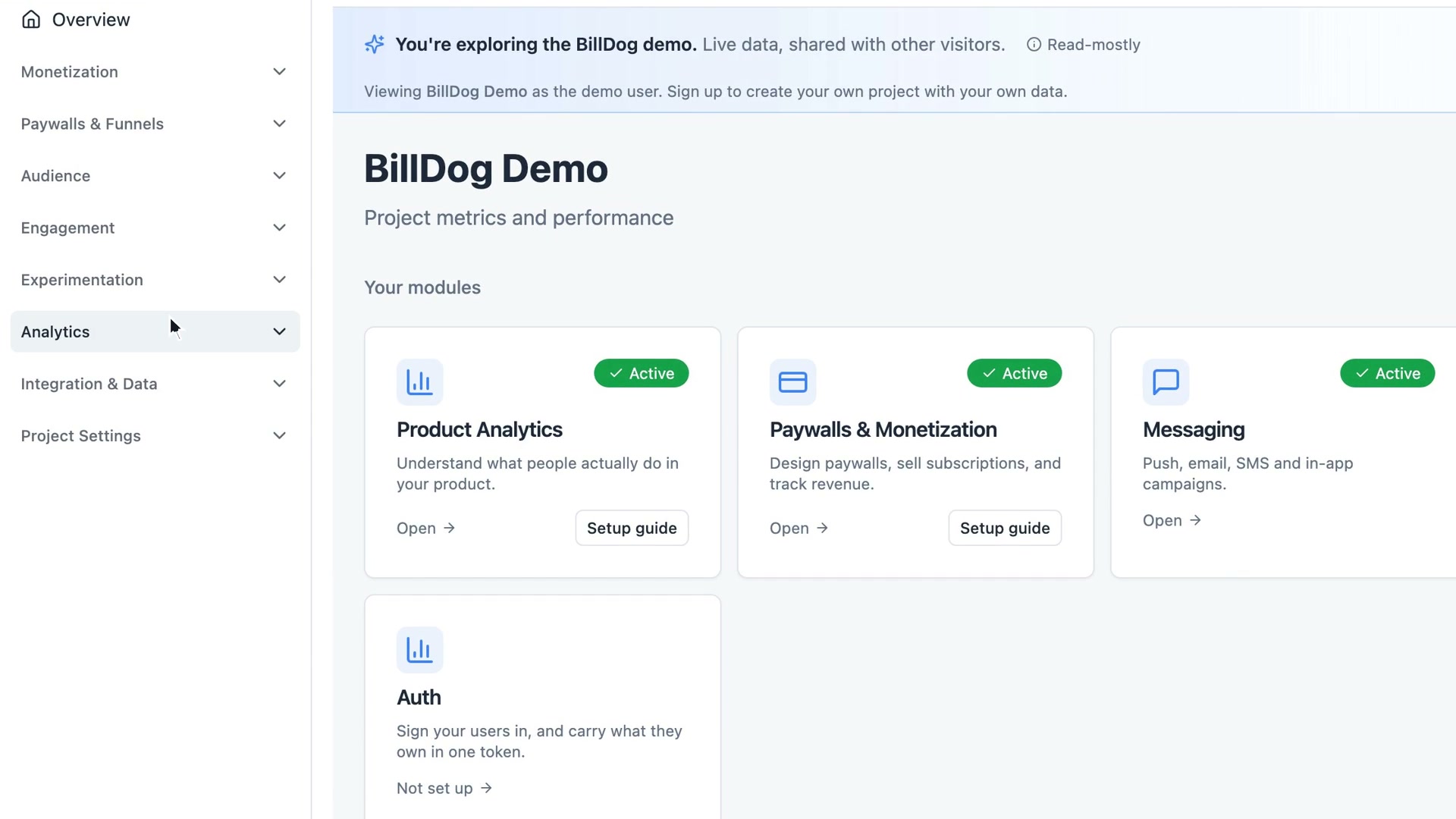
Console tour
Console tour: demo, first project and API keys
For developers trying BillDog: open the no-signup demo, create a project with its default keys, see what the paywall conversion rate divides, and find API keys.
Setup & diagnostics
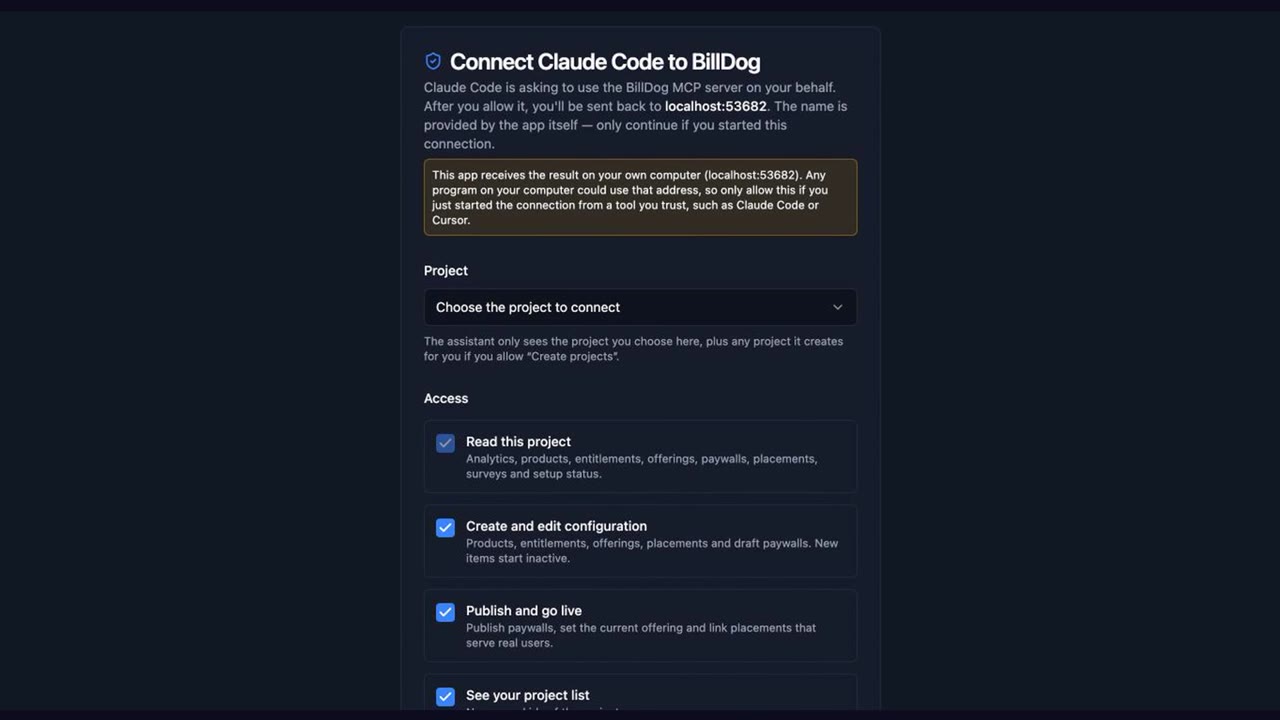
Connect your agent to BillDog
> what’s in my BillDog project?
Connect Claude Code to BillDog with one claude mcp add command. Sign in once, pick the project and the permissions it gets, then ask what’s in your project.
Setup & diagnostics
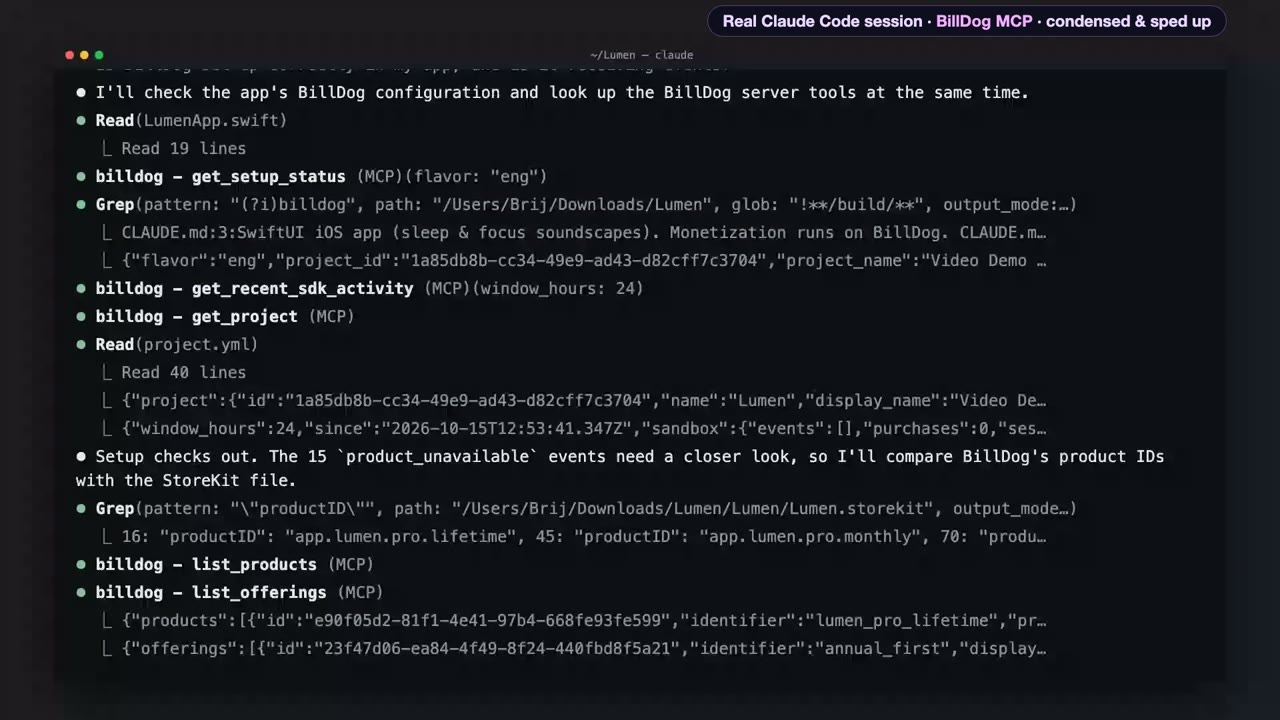
Check your setup in one question
> is BillDog set up correctly in my app, and is it receiving events?
Claude Code checks a BillDog setup in one question: app code, project and 24 hours of events. It flags a live key in Debug builds and a likely StoreKit cause.
Concepts
The nouns everything else rests on: products, entitlements, offerings, placements and how a subscription renews.
Products & entitlements
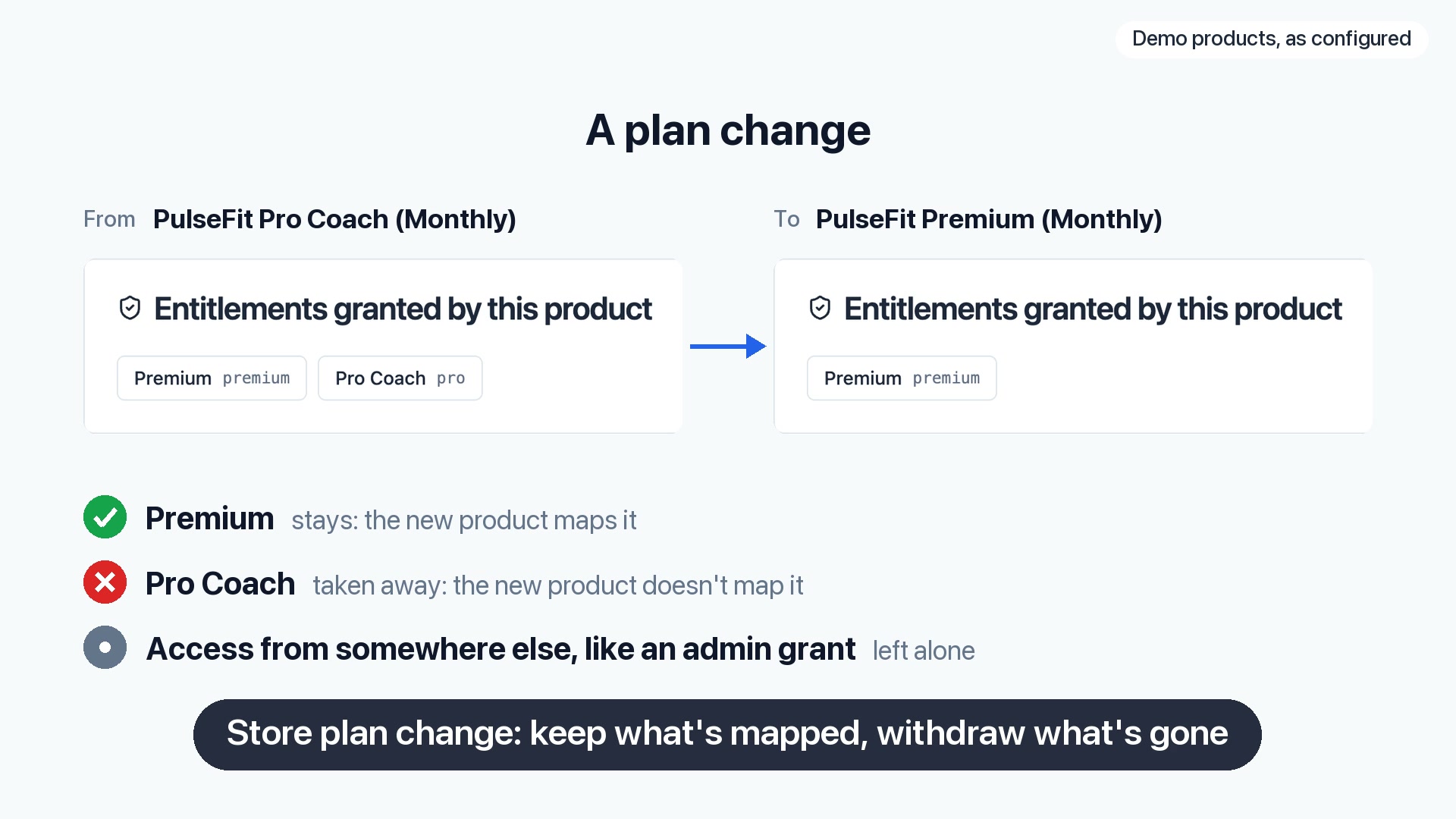
A product, an entitlement, and the difference
BillDog’s public demo: products are what people buy, entitlements what they get. Apps check the entitlement; a store plan change re-maps access to the new one.
Offerings
Changing what you sell without shipping
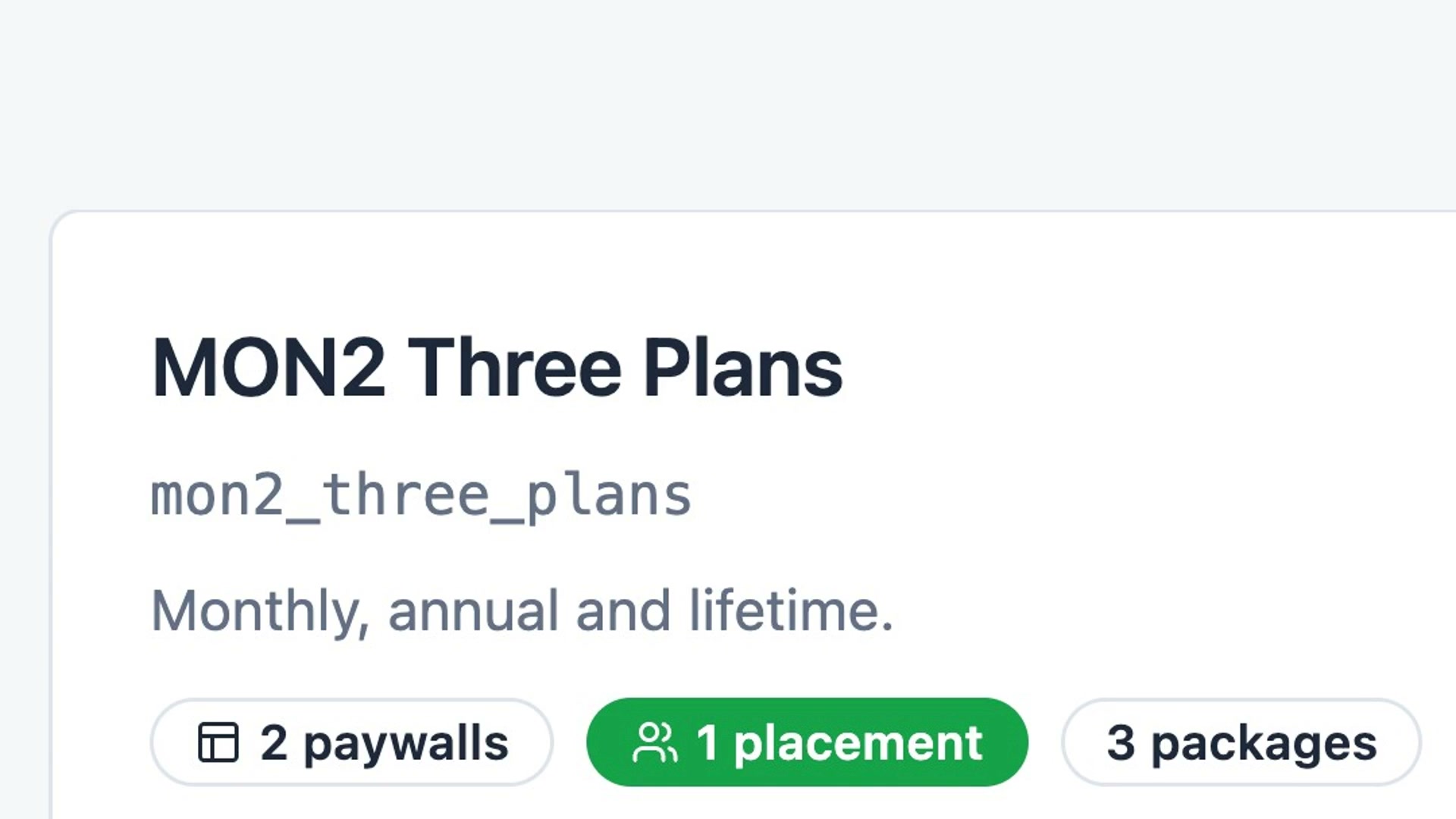
In BillDog, an offering is a named set of package slots. A plan list bound to it reads the slots, so swapping products already in the stores needs no app build.
Placements & offerings
Where the offer appears is not what the offer is
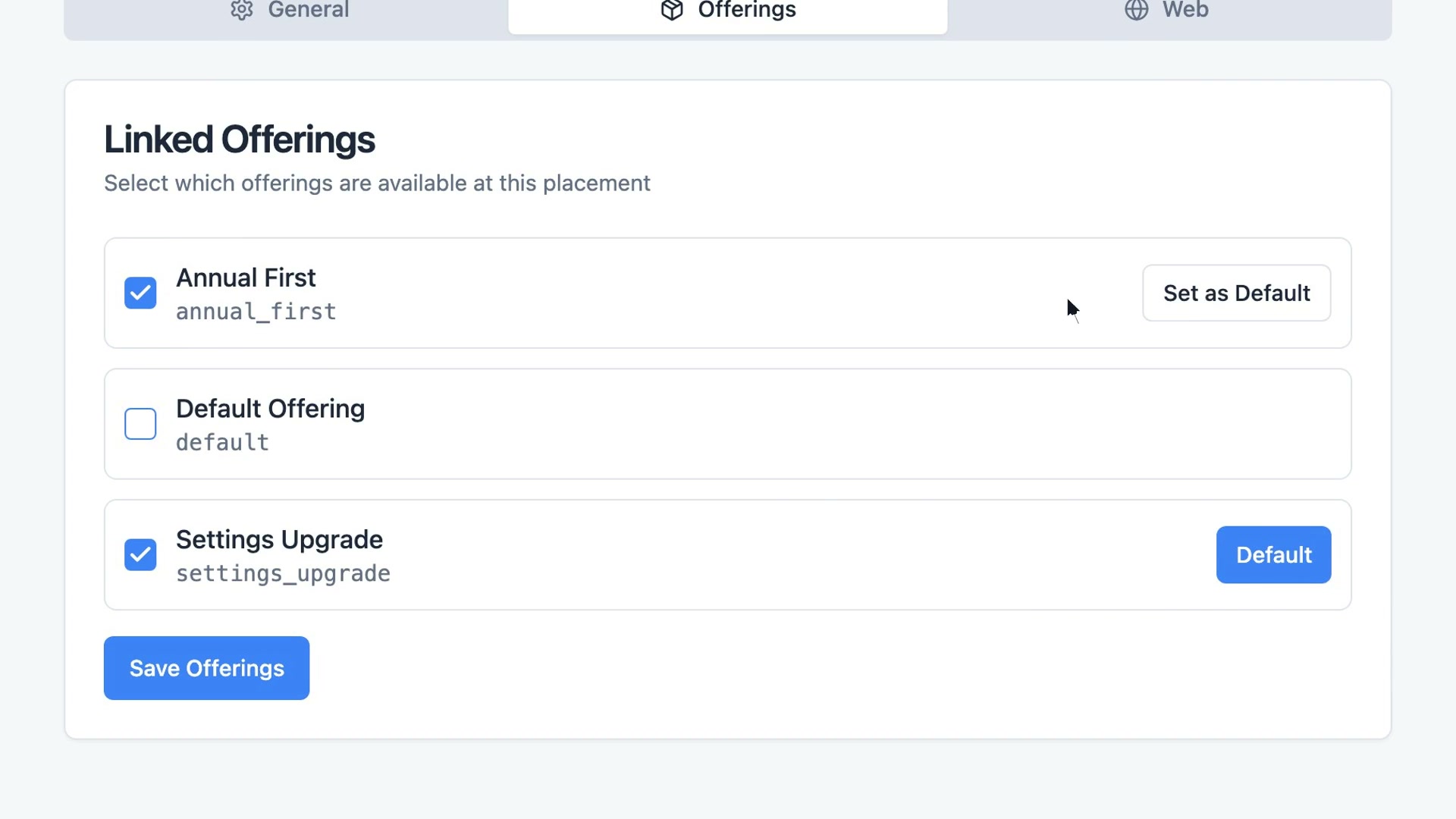
BillDog keeps placements and offerings apart. On Lumen, our demo app, linking a new default offering to Settings Upgrade makes the same tap show a new paywall.
Subscriptions
The renewal that arrived out of order
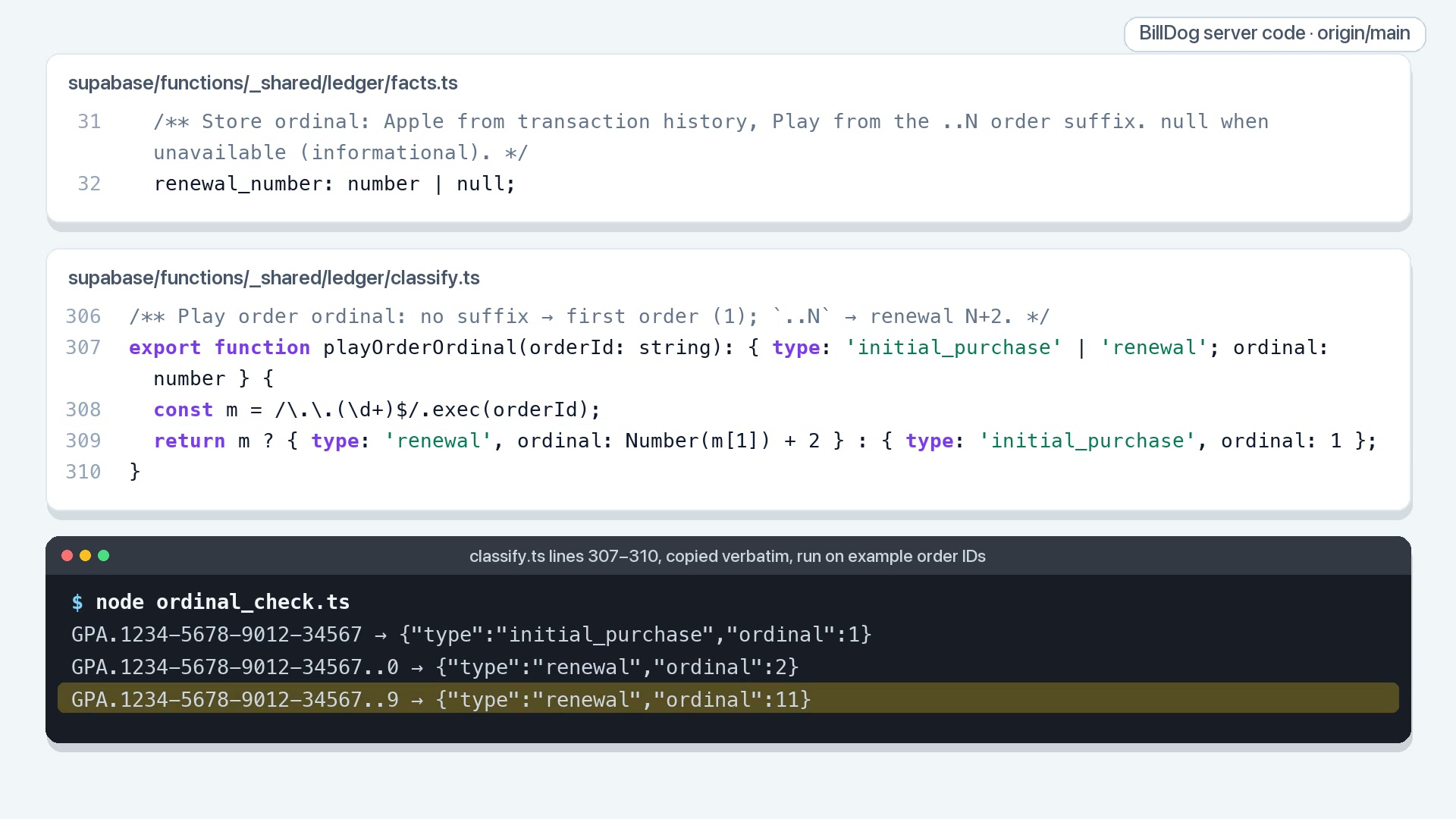
App Store and Google Play notifications can arrive late or twice. BillDog types and numbers renewals from the store’s data, not arrival order; grace is pending.
Pricing
Apple’s 12-month commitment and year two
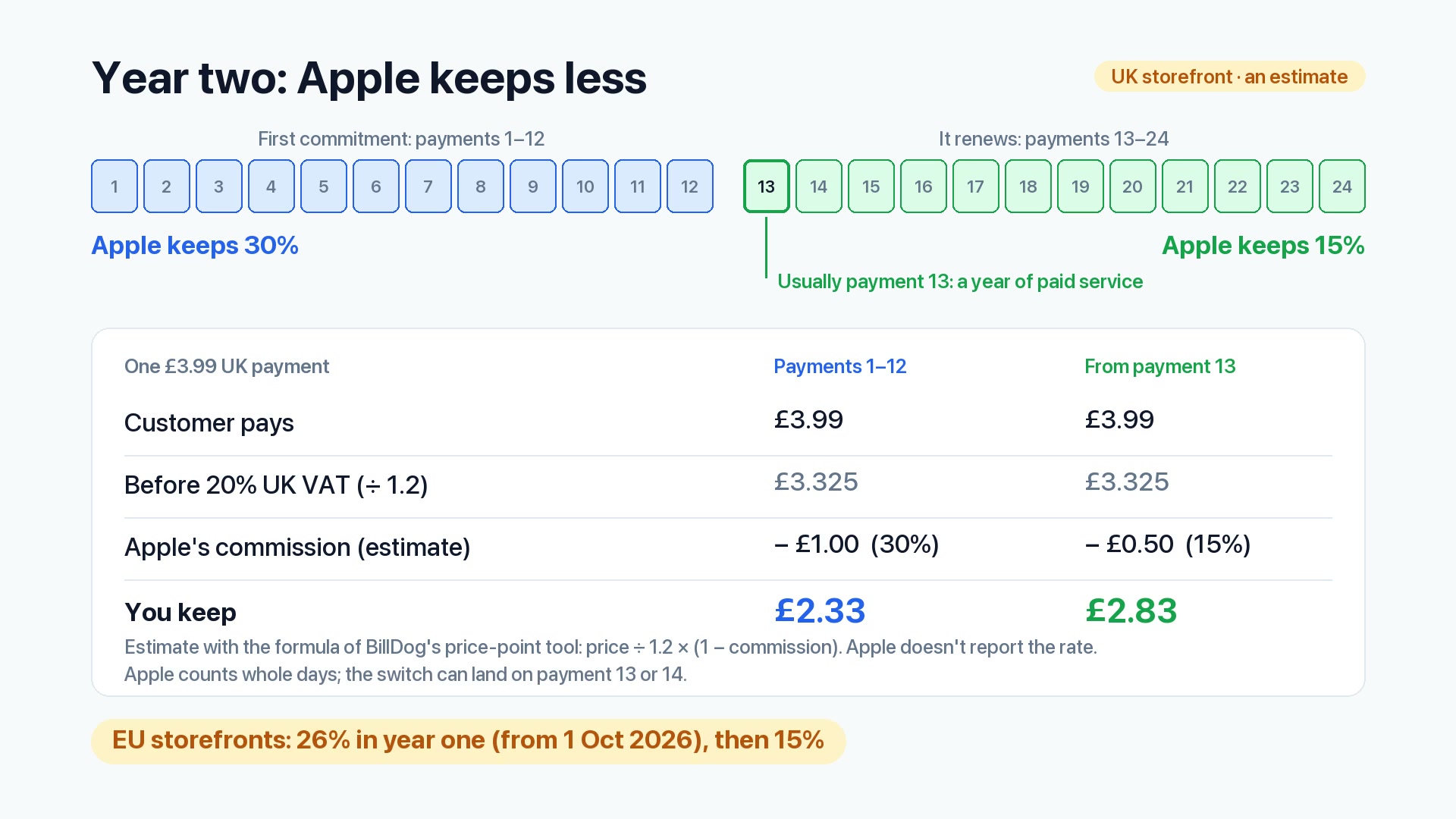
How BillDog books Apple’s 12-month-commitment plan: per payment, as a :monthly product, with an estimated year-two cut at standard, non-Small Business rates.
Paywalls & offers
Build, edit and publish paywalls, add plans and placements, and sell virtual currency.
Paywalls
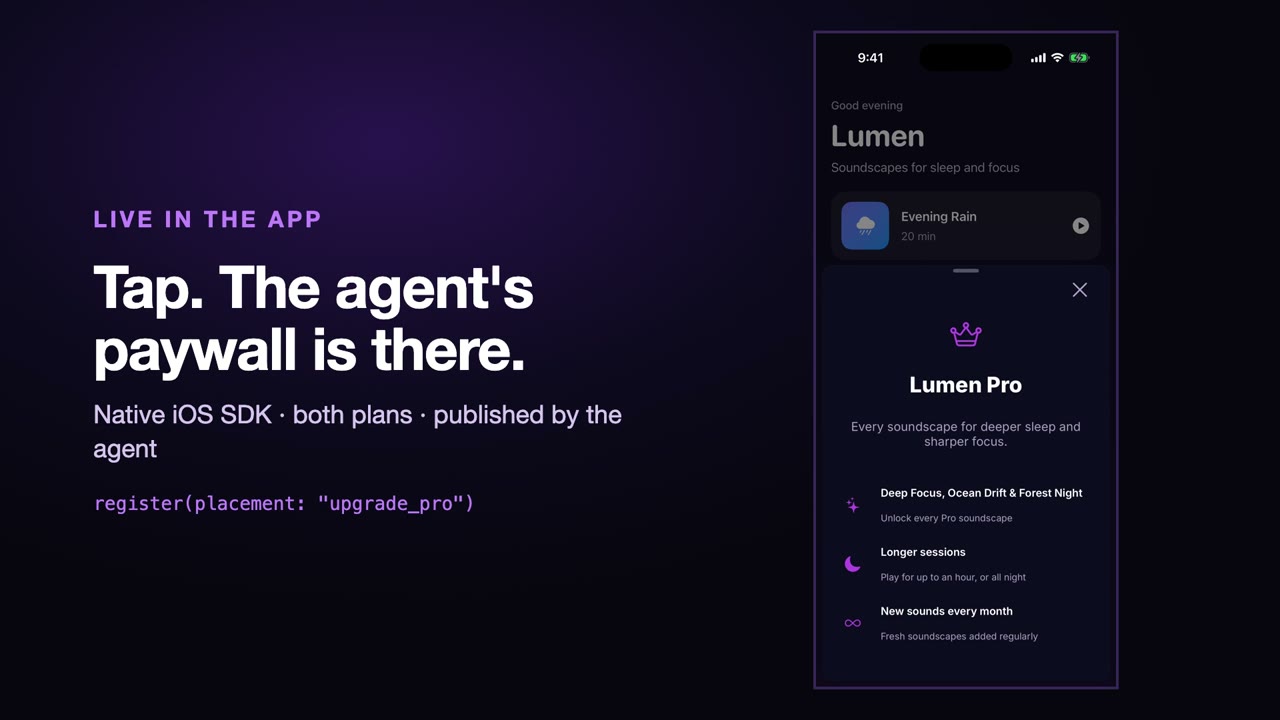
Claude Code builds your paywall
> add a paywall with monthly and annual plans
From “add a paywall with monthly and annual plans” to a live paywall in an iOS app: products, offering, design, publish and the Swift call, done by the agent.
Paywalls
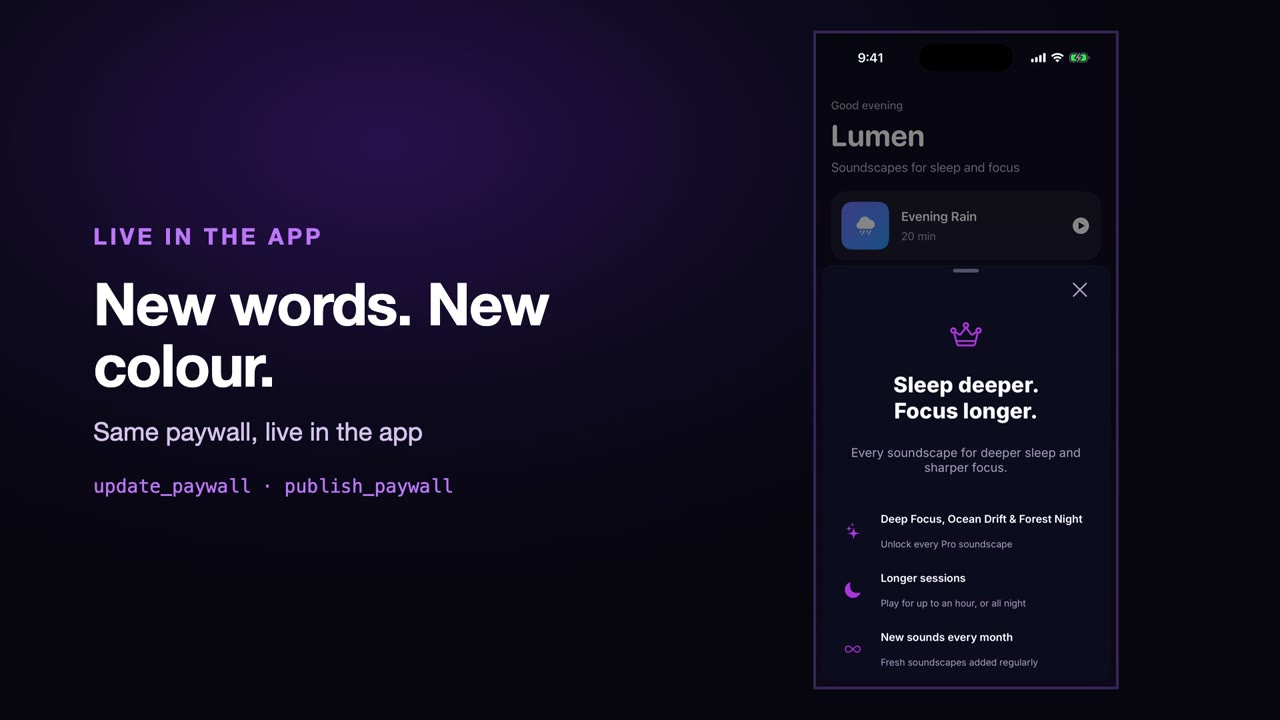
Edit your paywall in plain English
> change my paywall headline to 'Sleep deeper. Focus longer.' and make the button green, then publish it
Ask for a new paywall headline and green button, then publish. The agent patches only those two and holds the publish while the draft has edits it didn’t make.
Paywalls
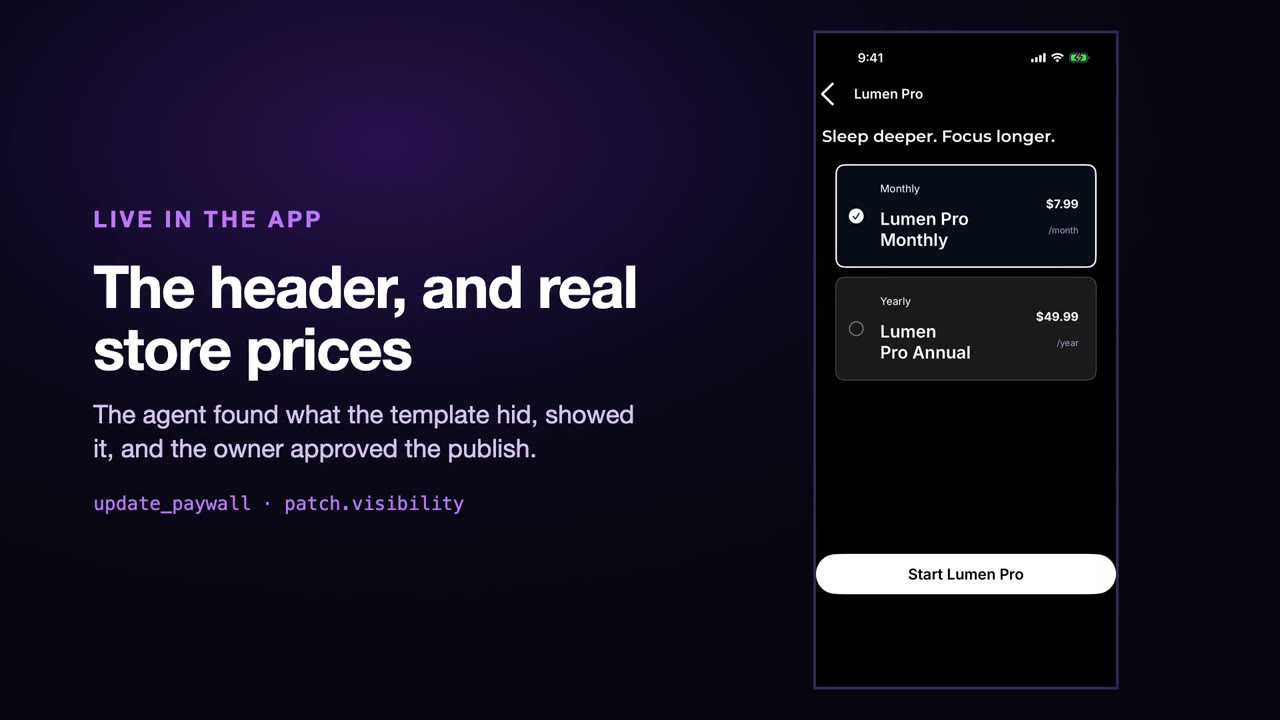
Start a paywall from a template with Claude Code
> make me a second paywall from one of BillDog’s templates, using my plans, and publish it
Claude Code builds a second BillDog paywall from a sleep-app template, wires its button to a purchase, then shows the header and prices the template hid.
Catalog
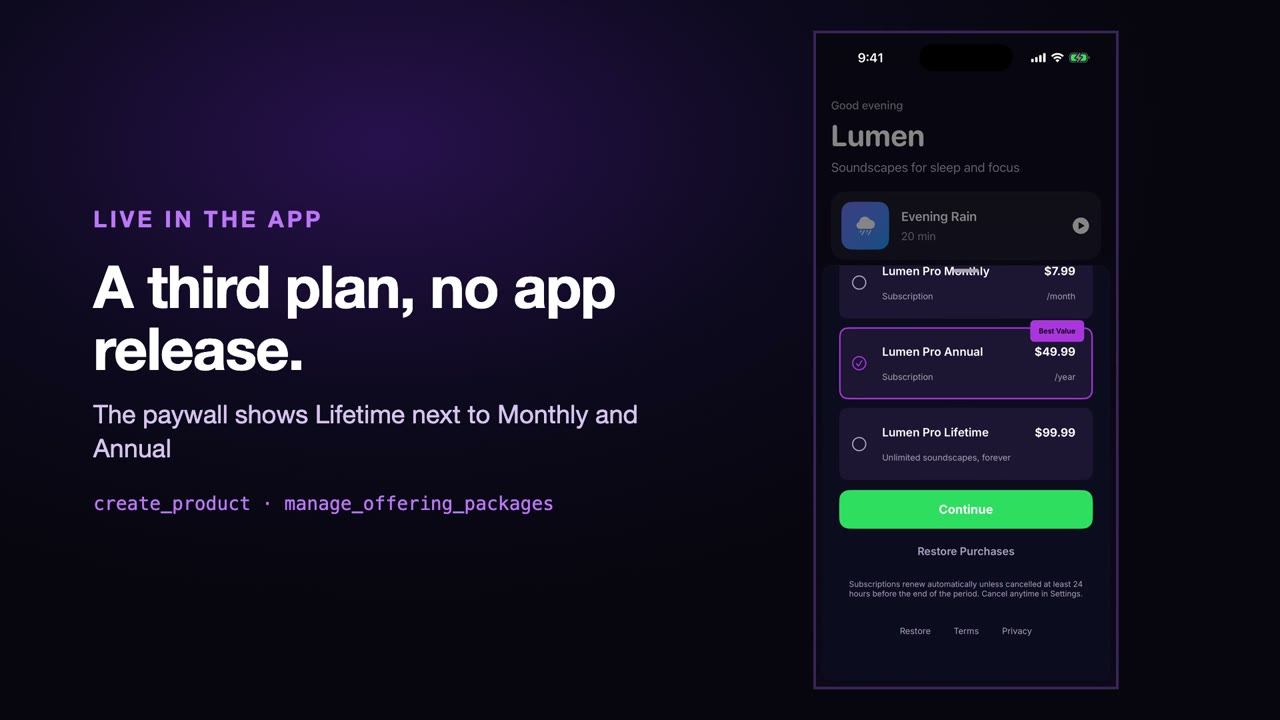
Claude Code adds a lifetime plan to your catalog
> check my BillDog setup and add a lifetime plan to my offering
Claude Code checks a BillDog setup, creates the lifetime product it finds in the app’s StoreKit file, grants Pro with it and adds it to the offering.
Placements & offerings
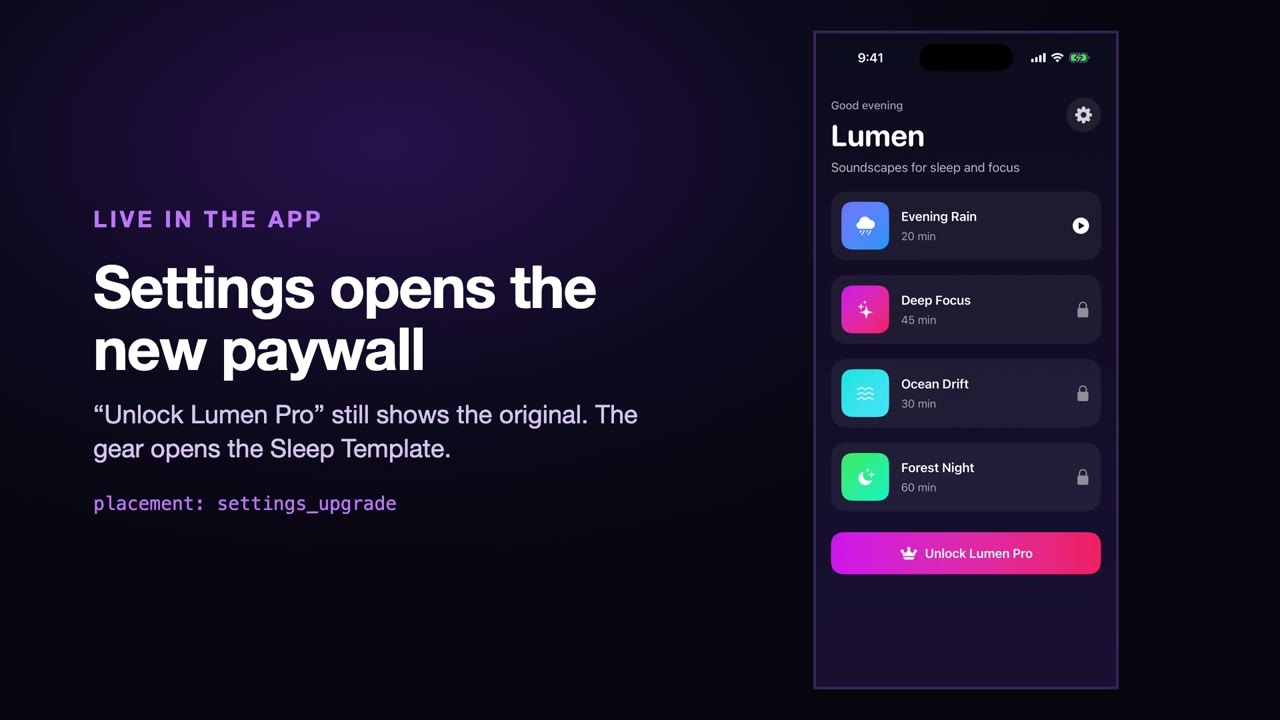
Add a placement and its offering with Claude Code
> add a settings_upgrade placement that shows the new Sleep Template paywall
Claude Code adds a settings_upgrade placement with its own offering after a dry run, checks the live paywall is unchanged, and waits for owner approval.
Virtual currency
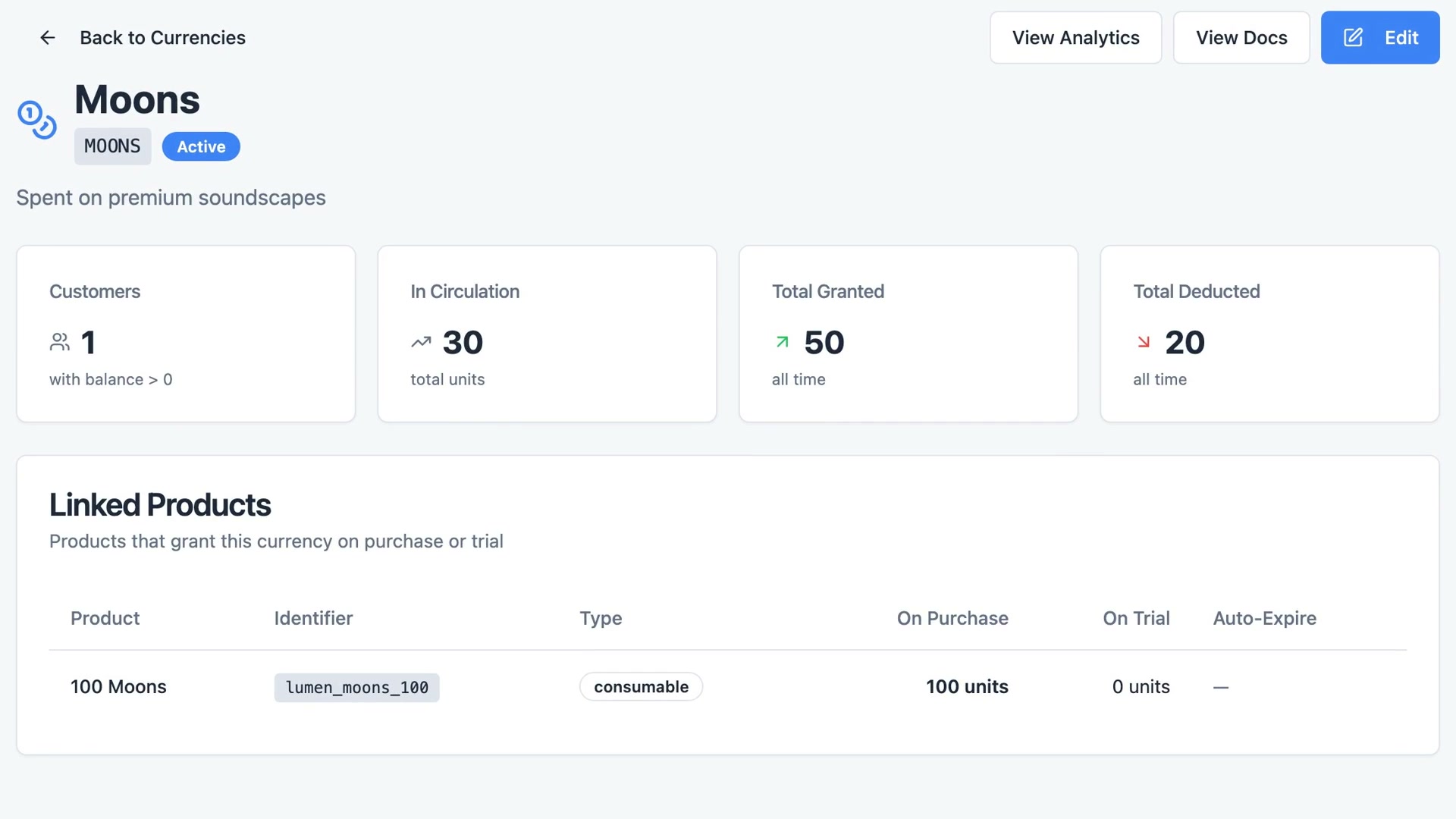
Earn it or buy it
BillDog virtual currency on Lumen, our demo app: link a store pack, grant and deduct coins for one customer, and see why the app’s public key can’t award coins.
Go-live approvals
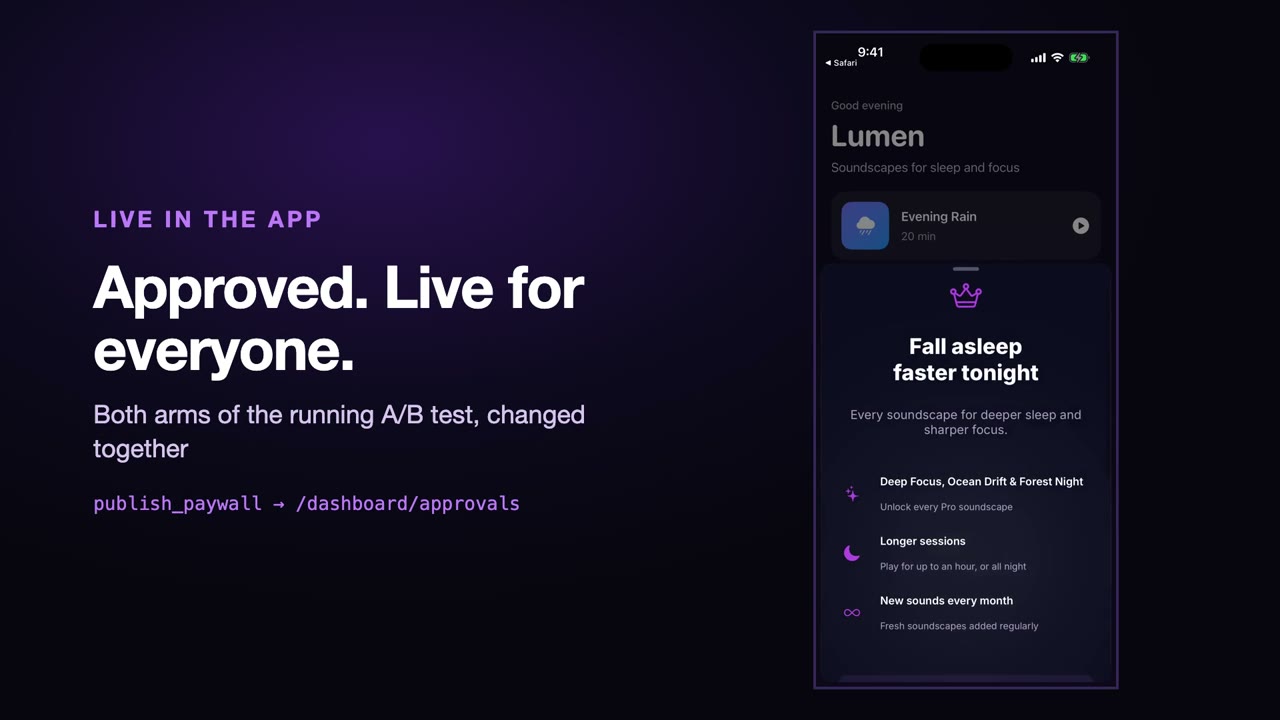
Go live with an owner’s approval
> change my paywall headline to 'Fall asleep faster tonight' and publish it
On a live app, Claude Code's paywall publish through BillDog's MCP server waits for an owner or admin to approve. The agent also asked first about an A/B test.
Experiments & flags
A/B test a paywall, decide when a winner is a winner, and ship code switched off behind a flag.
Experiments & flags
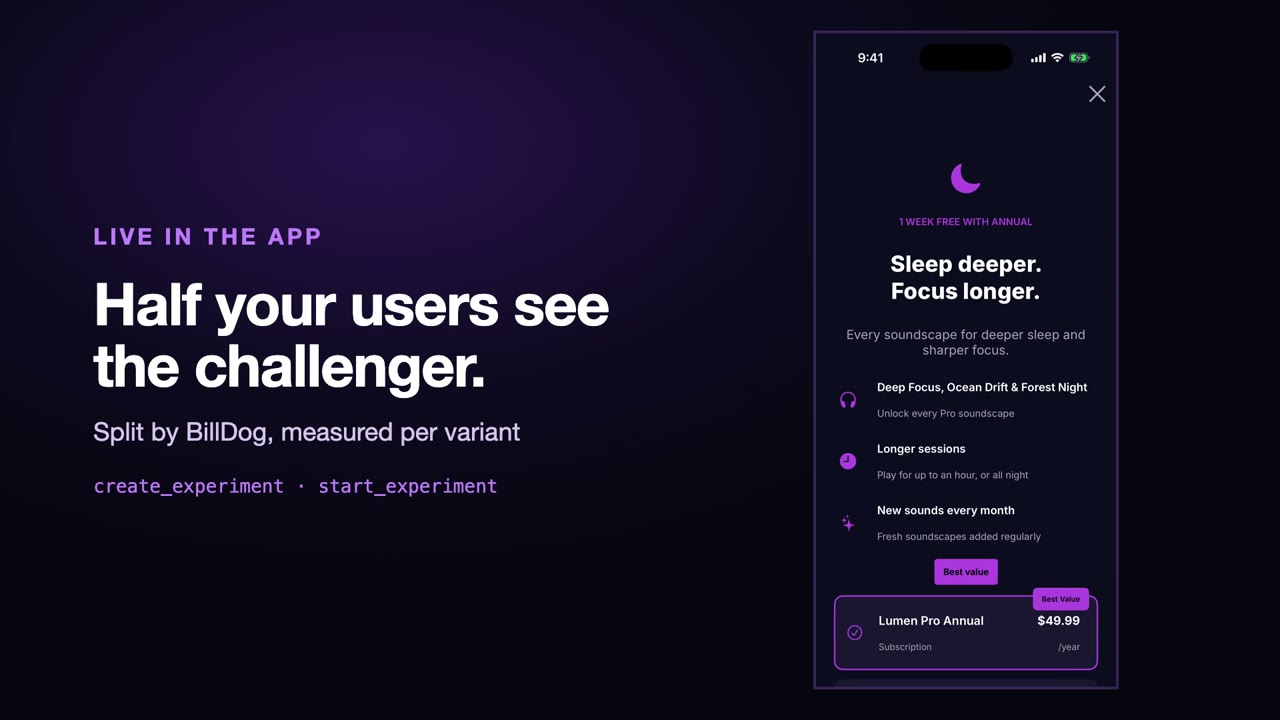
Run an A/B test and add a flag with Claude Code
> A/B test my paywall against an annual-first version, and add a feature flag for the new onboarding at 10%
Claude Code designs an annual-first paywall variant, starts a 50/50 BillDog A/B test against the current paywall, and turns on a feature flag for 10% of users.
Experiments & flags
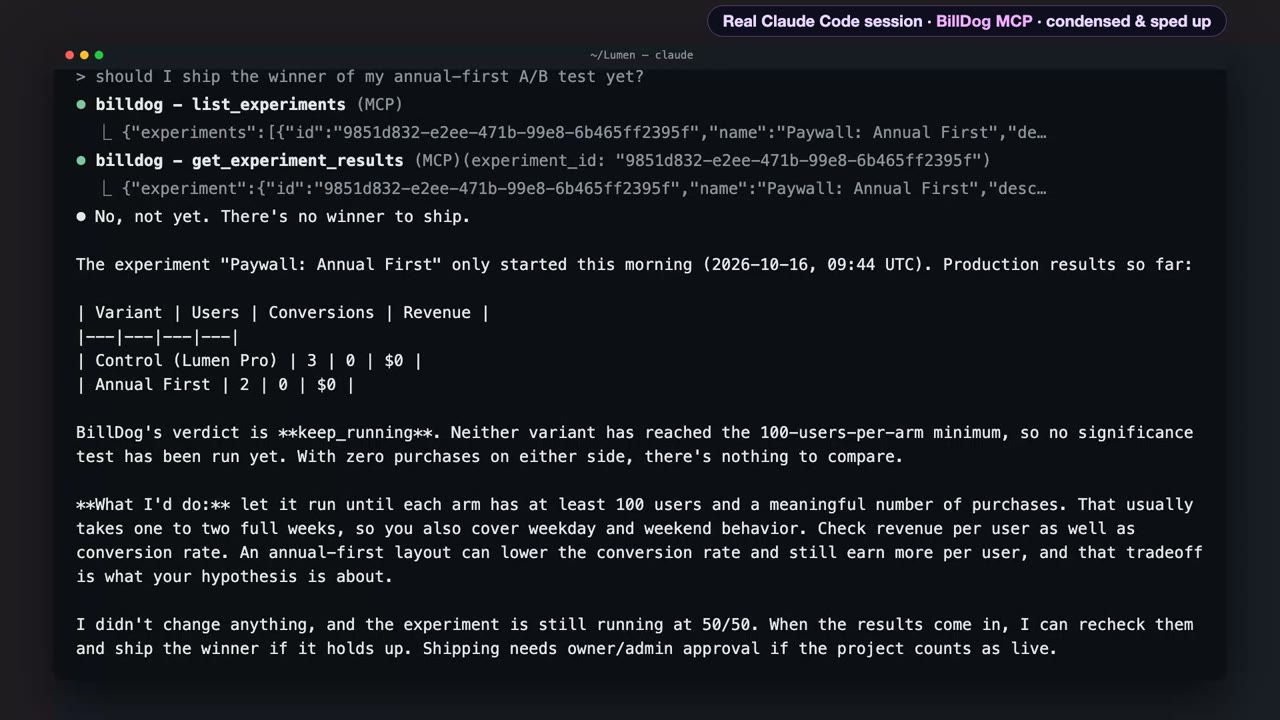
Should I ship the winner?
> should I ship the winner of my annual-first A/B test yet?
Claude Code reads a BillDog A/B test through MCP: five users, no purchases, verdict keep_running. Wait for 100 users per variant, then compare revenue per user.
Feature flags
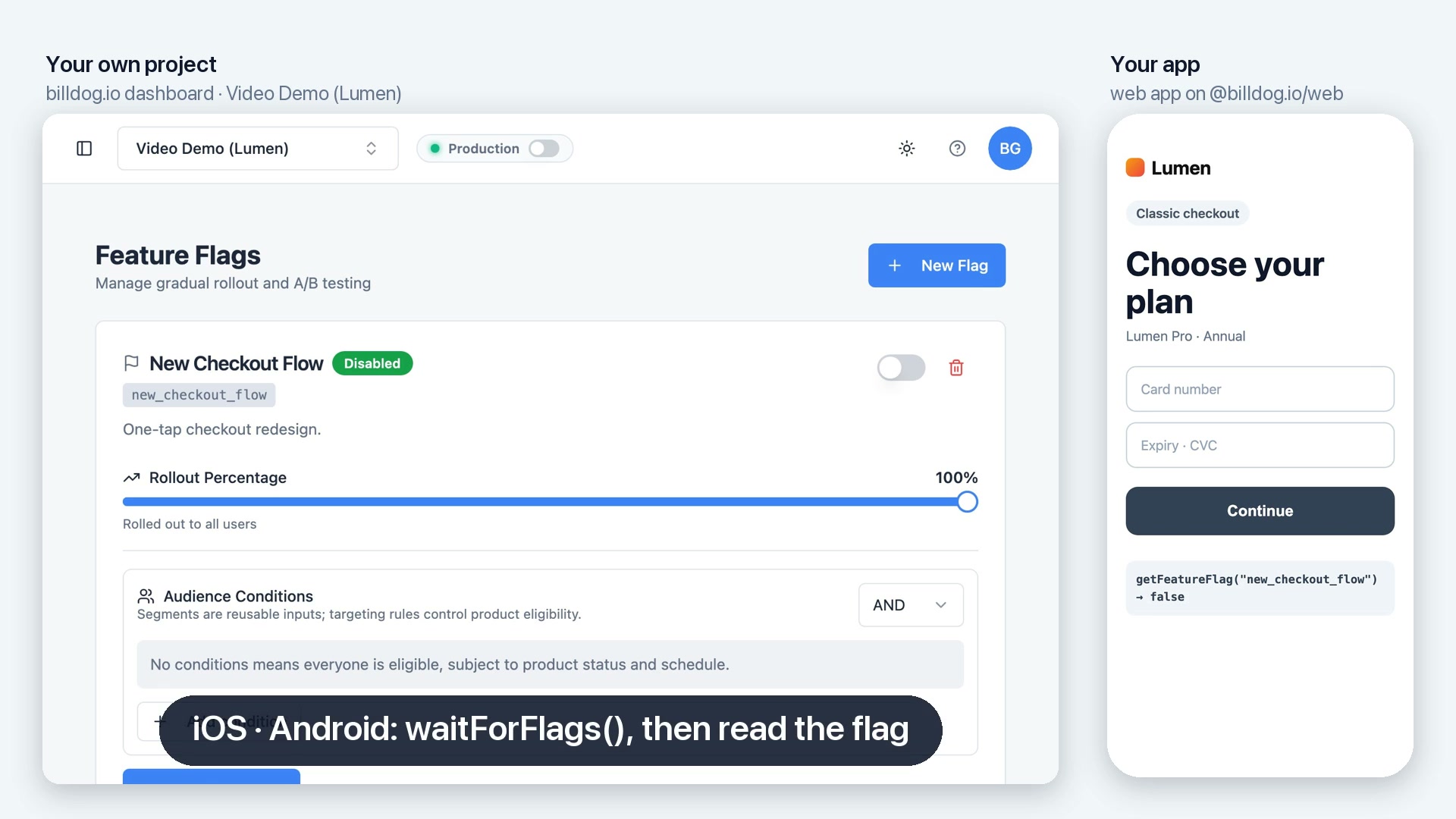
Ship it switched off with feature flags
Ship code switched off with BillDog feature flags: roll out by percentage, target your team first, then turn a flag off and watch a reopened web app fall back.
Engagement
Surveys, journeys, campaigns and messages: ask users why, follow up, and show the right wall to the right person.
Surveys & journeys
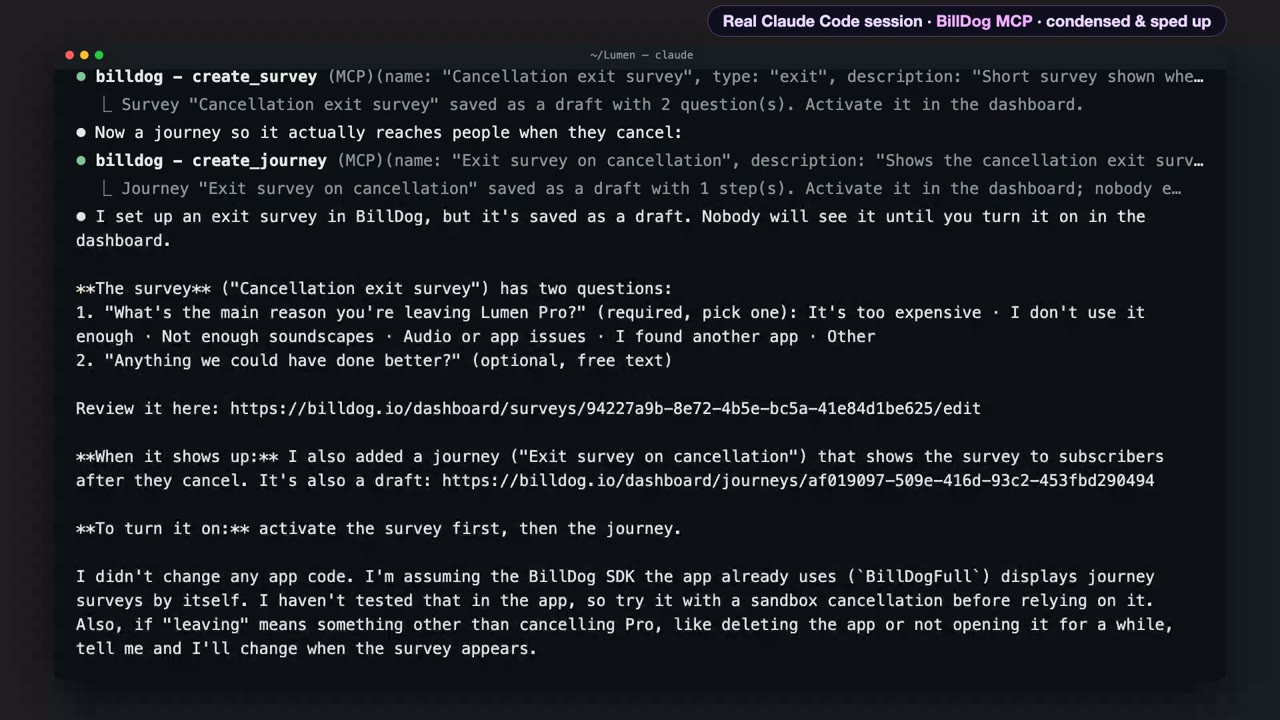
Ask users why they leave
> add a short exit survey asking people why they're leaving
One sentence to Claude Code drafts an exit survey in BillDog through MCP: two questions, plus a journey set to show it after a cancel. Both stay drafts.
Surveys
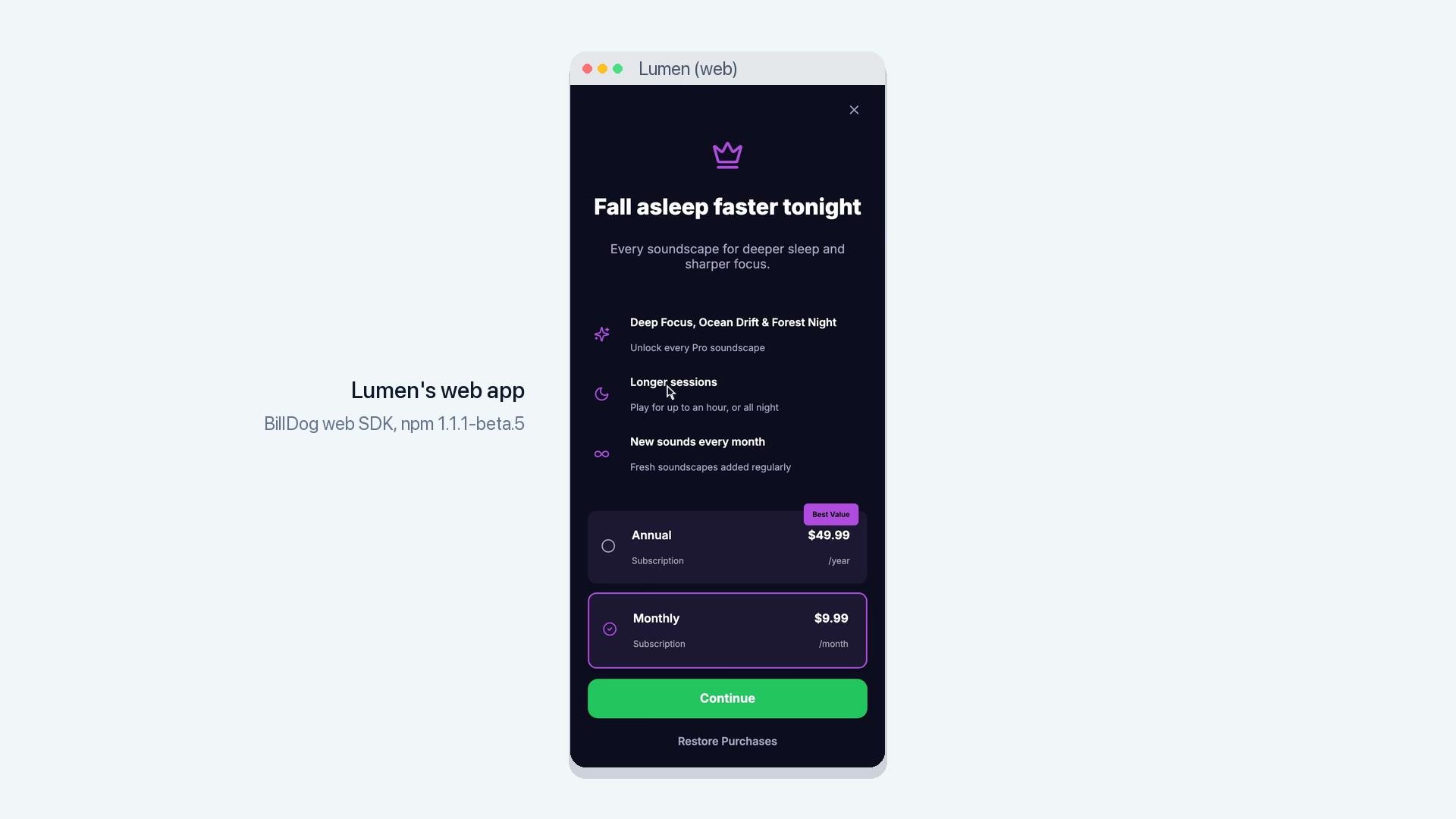
Paywall exit survey: ask why they closed it
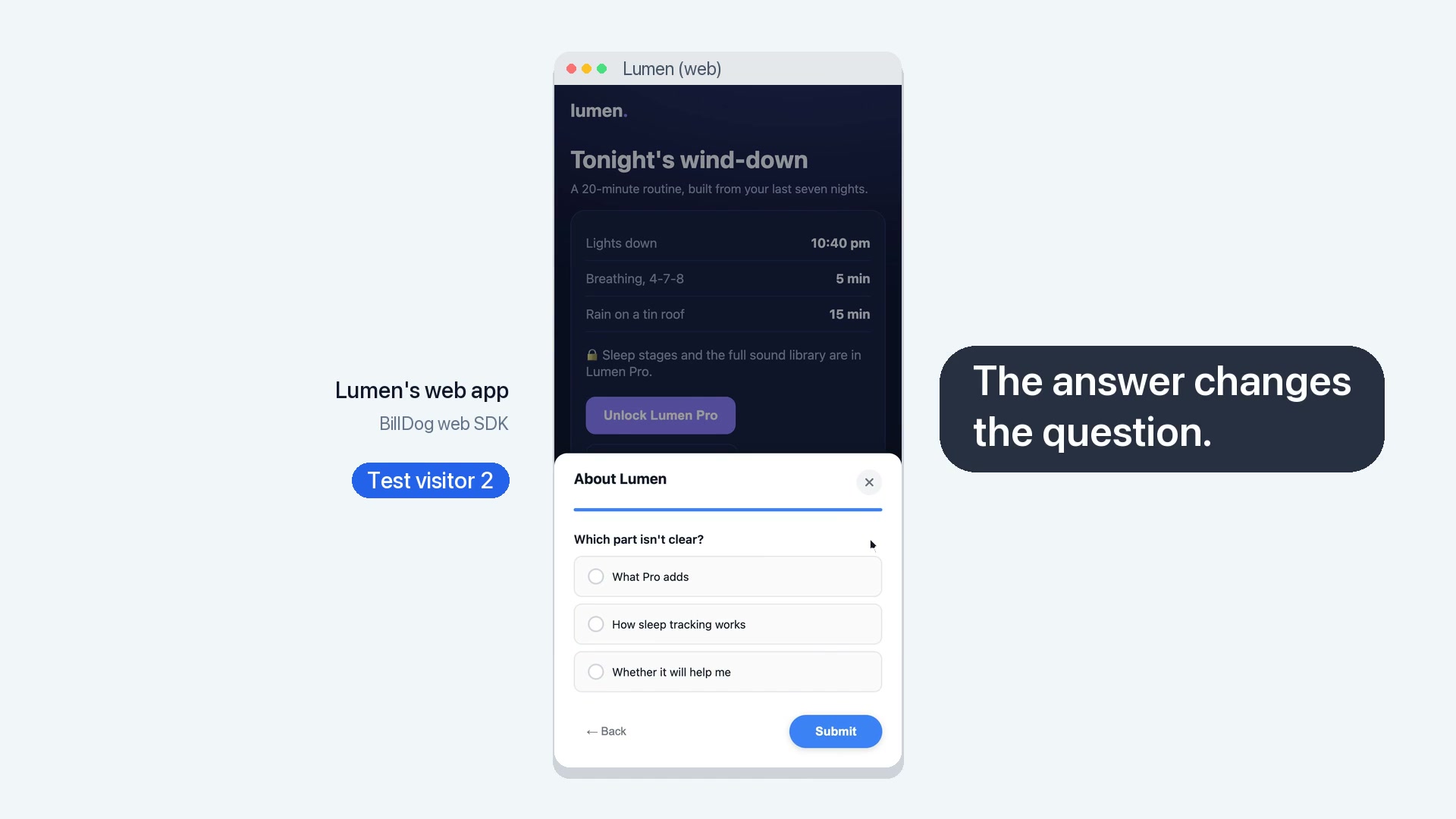
A one-question exit survey added to a paywall’s close button in Lumen, BillDog’s demo web app: shown when that button is tapped, and the answer it returns.
Surveys
Survey branching: a different second question
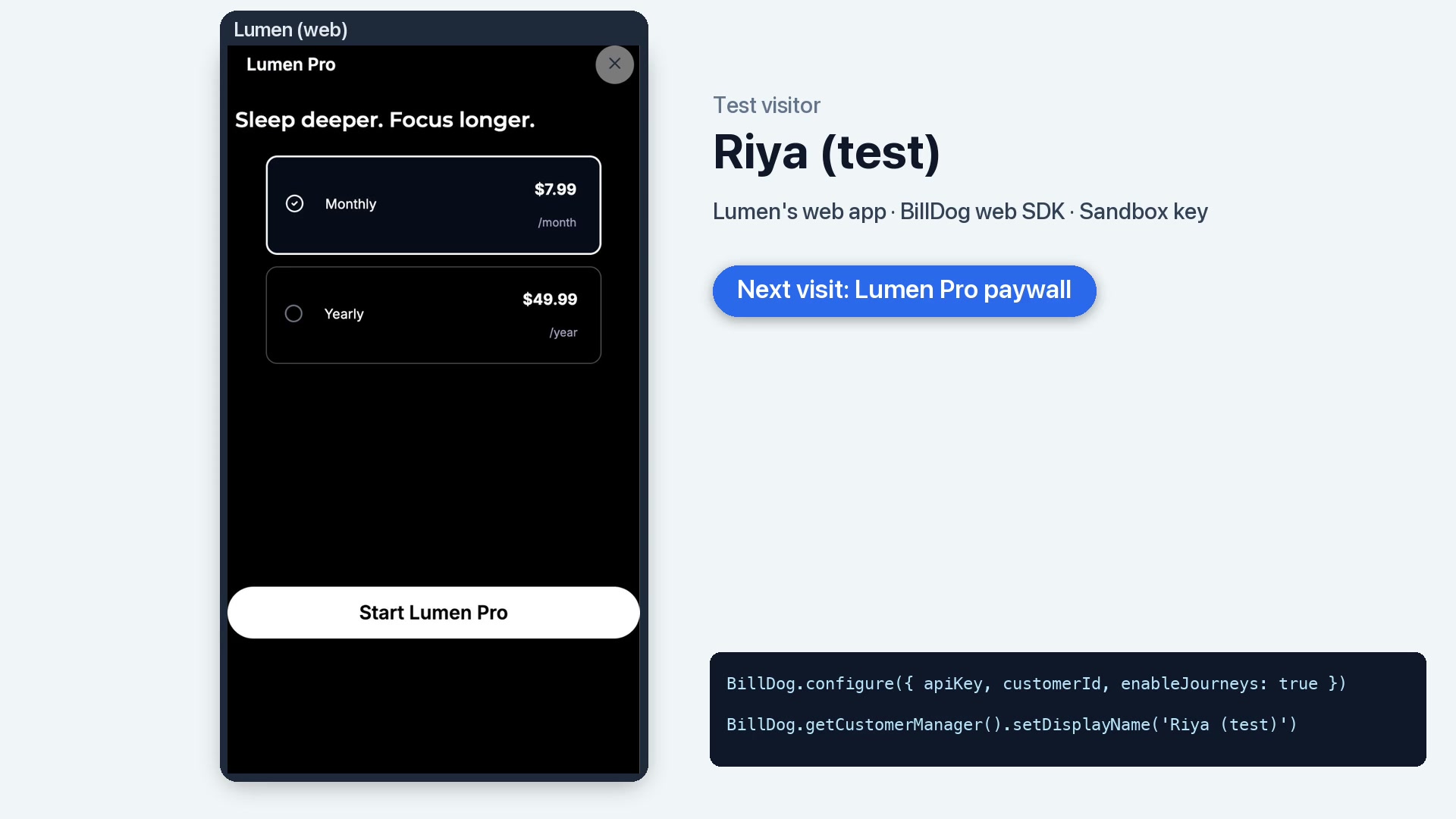
Survey branching (skip logic) in BillDog: the first answer picks the next page and can decide who sees a follow-up. Free has no Logic; CortX AI plans do.
Journeys
Win back the subscriber who just left, with one survey
A BillDog journey on Lumen, our demo web app: when a plan expires, one survey question asks why, and Too expensive gets the annual-price email and paywall.
Journeys
A journey that re-shows a closed paywall
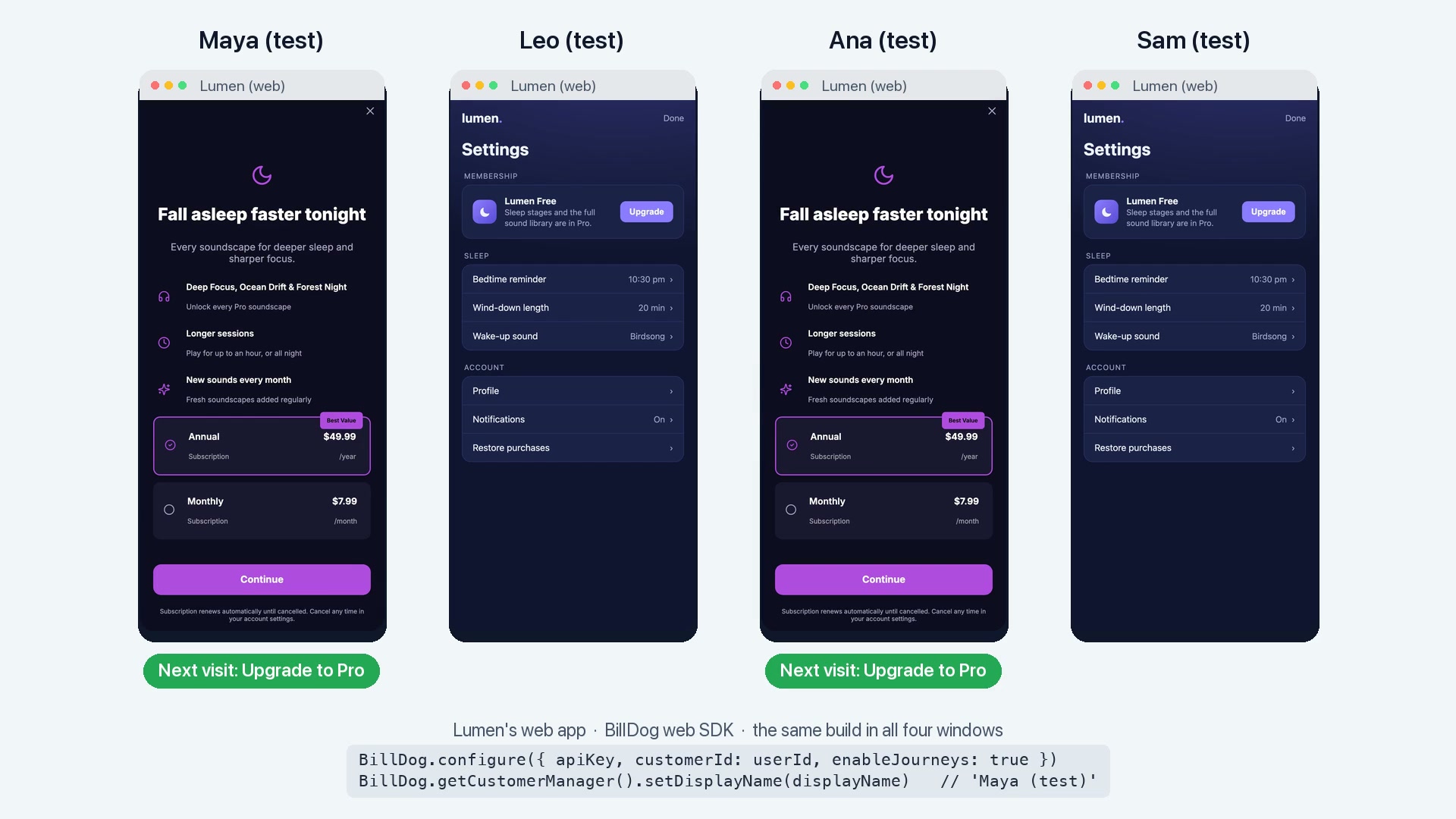
A BillDog journey built with the AI builder on Lumen, our demo web app: people who close a paywall see Upgrade to Pro on their next visit within 7 days.
Campaigns
Show the right paywall to the right person
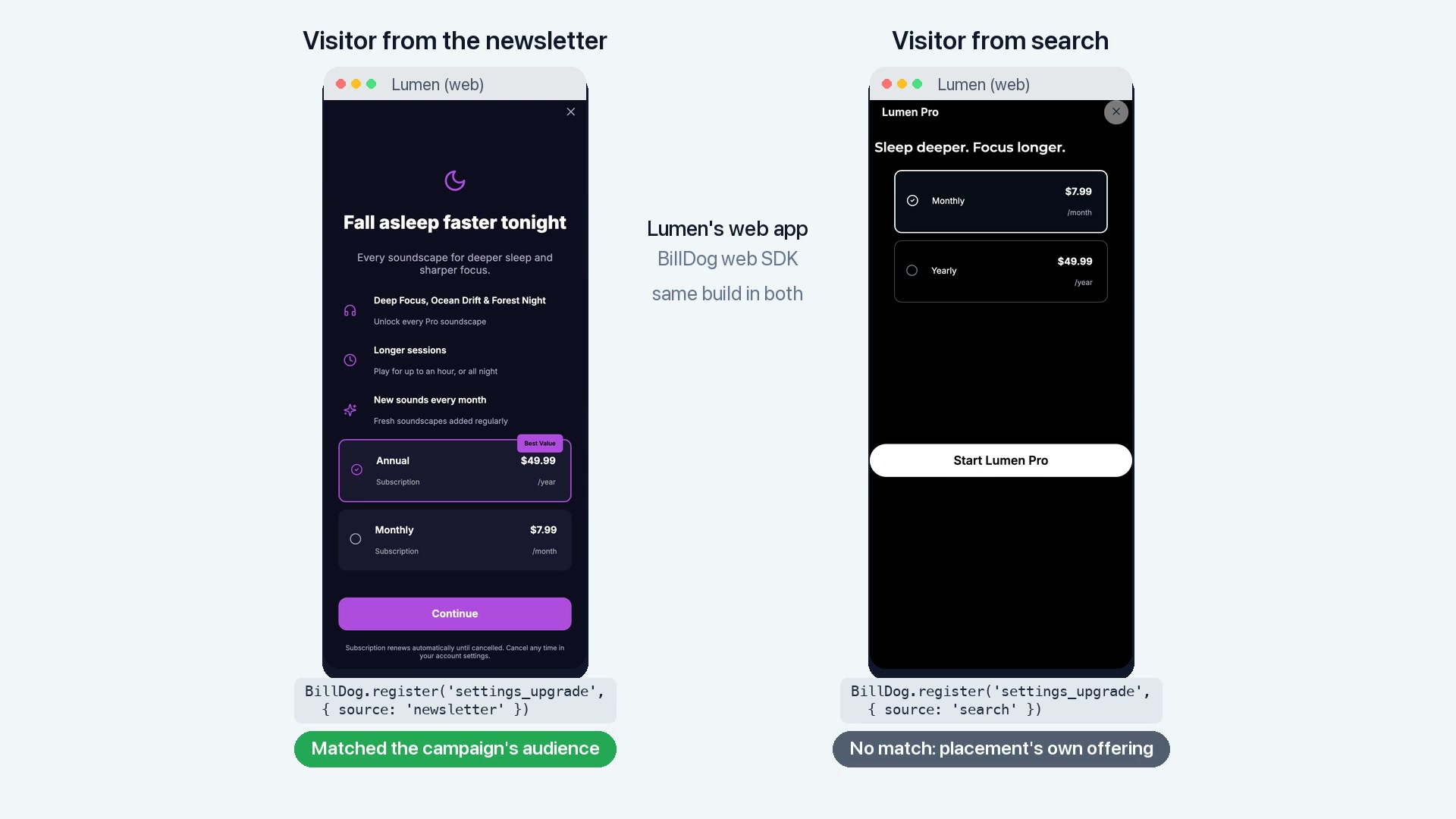
On Lumen, BillDog’s demo app, a campaign on one placement shows newsletter readers a different paywall. Everyone else gets the placement’s usual paywall.
Messaging
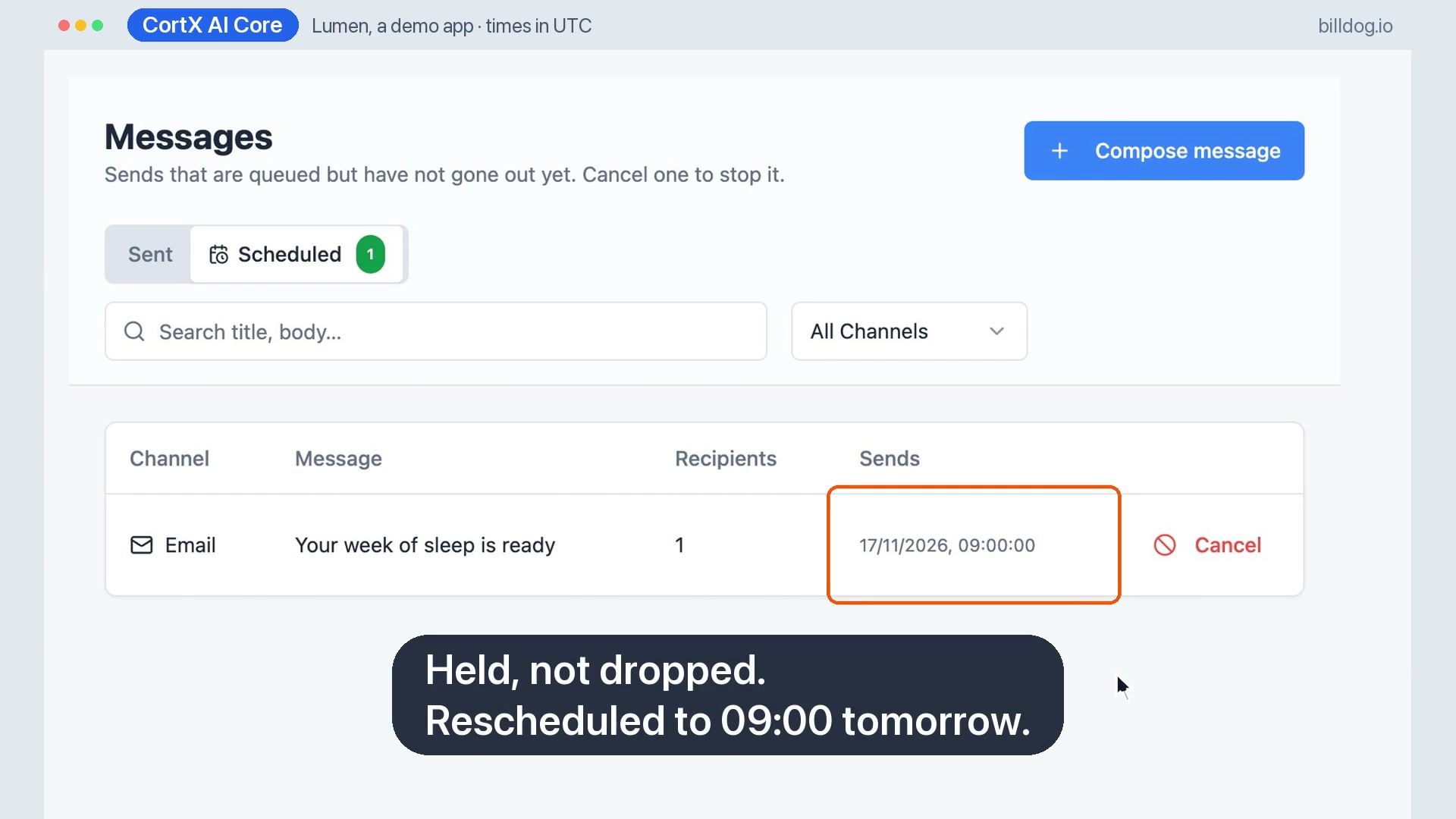
The 3am message you didn’t send: delivery windows
On CortX AI Core, BillDog’s Intelligent Delivery holds an email sent after 9pm until 9am, its default window, on the project’s clock. The free plan refuses it.
Analytics & data
Read how a paywall is doing, find where non-buyers went, and get your data out by export, API or MCP.
Analytics
Ask how your paywall is doing
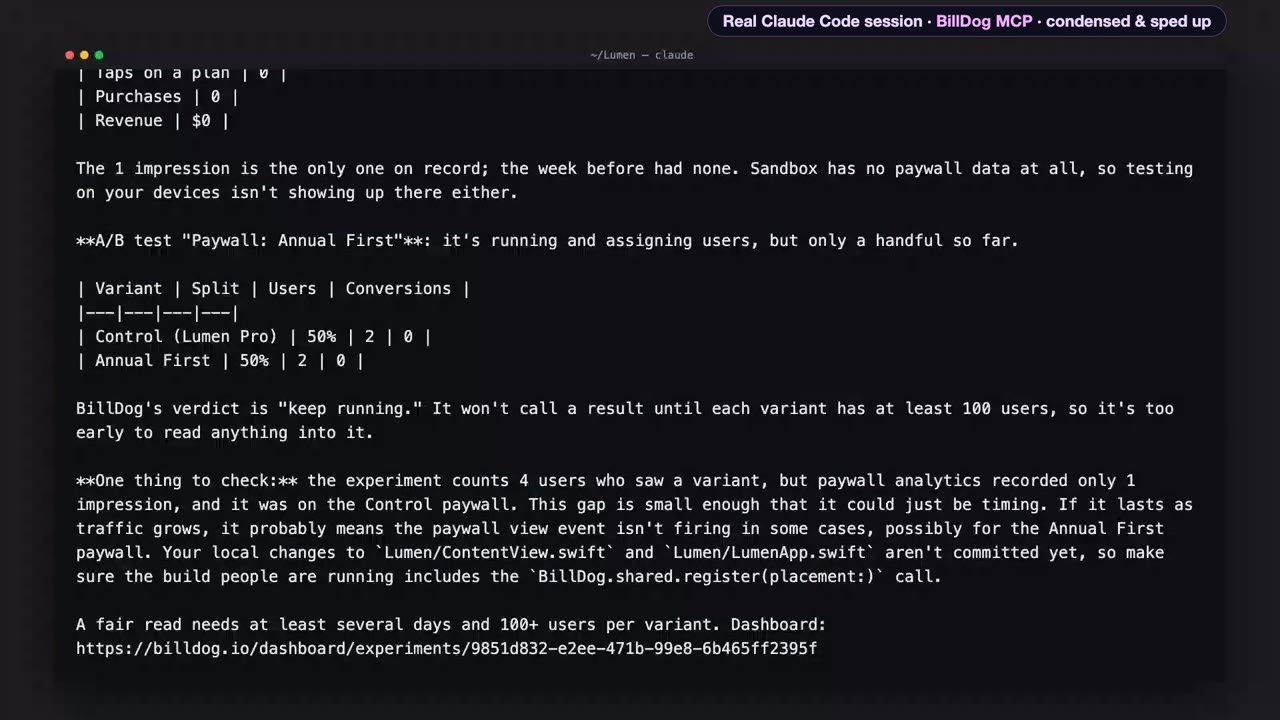
> how is my paywall doing this week, and is the A/B test getting traffic yet?
Claude Code asks BillDog through MCP how a paywall and its A/B test are doing: one impression, no purchases, two users per variant, and too early to call.
Analytics
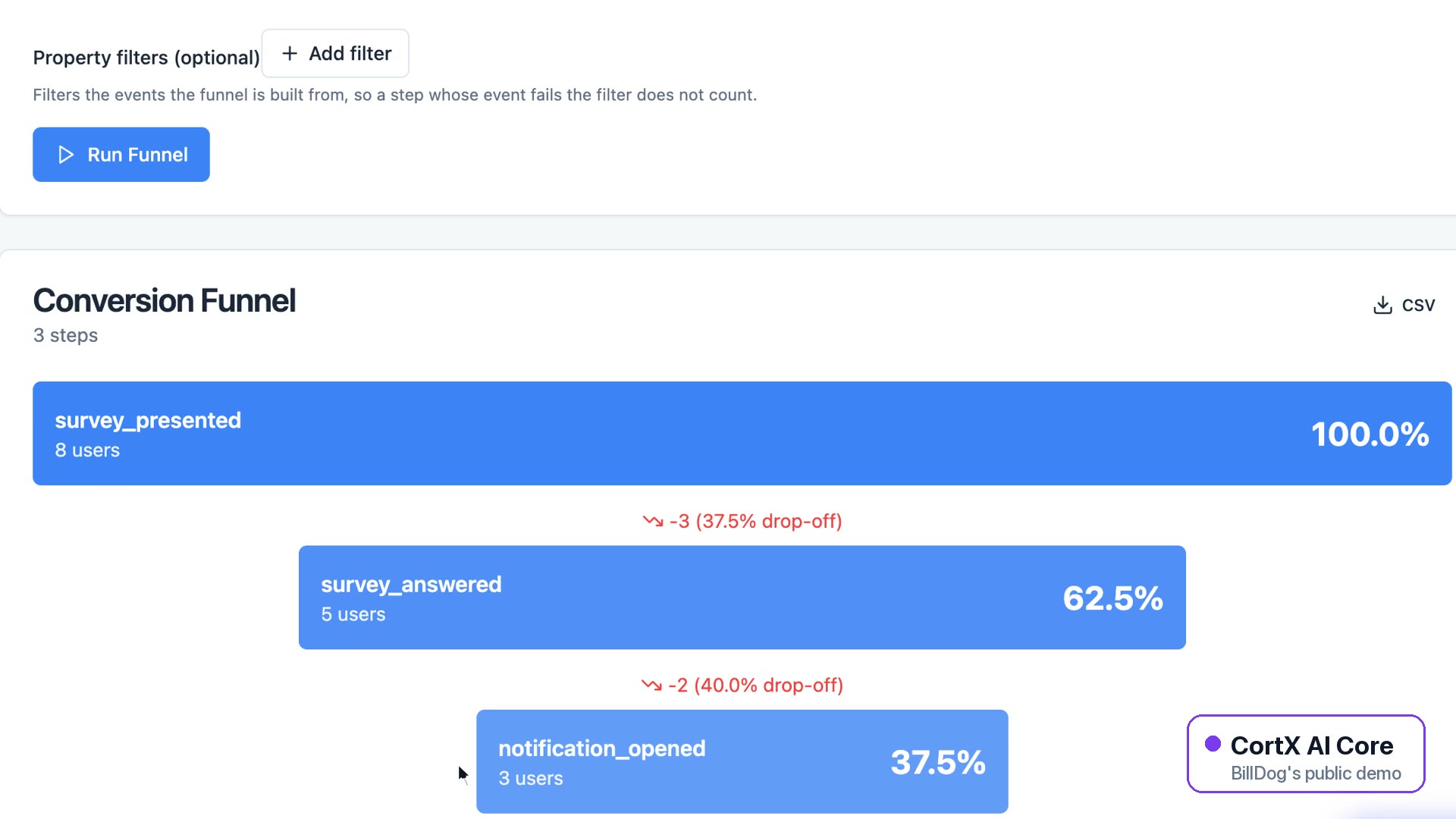
The funnel that crosses modules: survey to push
BillDog funnel: survey presented, survey answered, notification opened. Free plans can’t run steps across modules; the CortX AI Core demo, on sample data, can.
Analytics
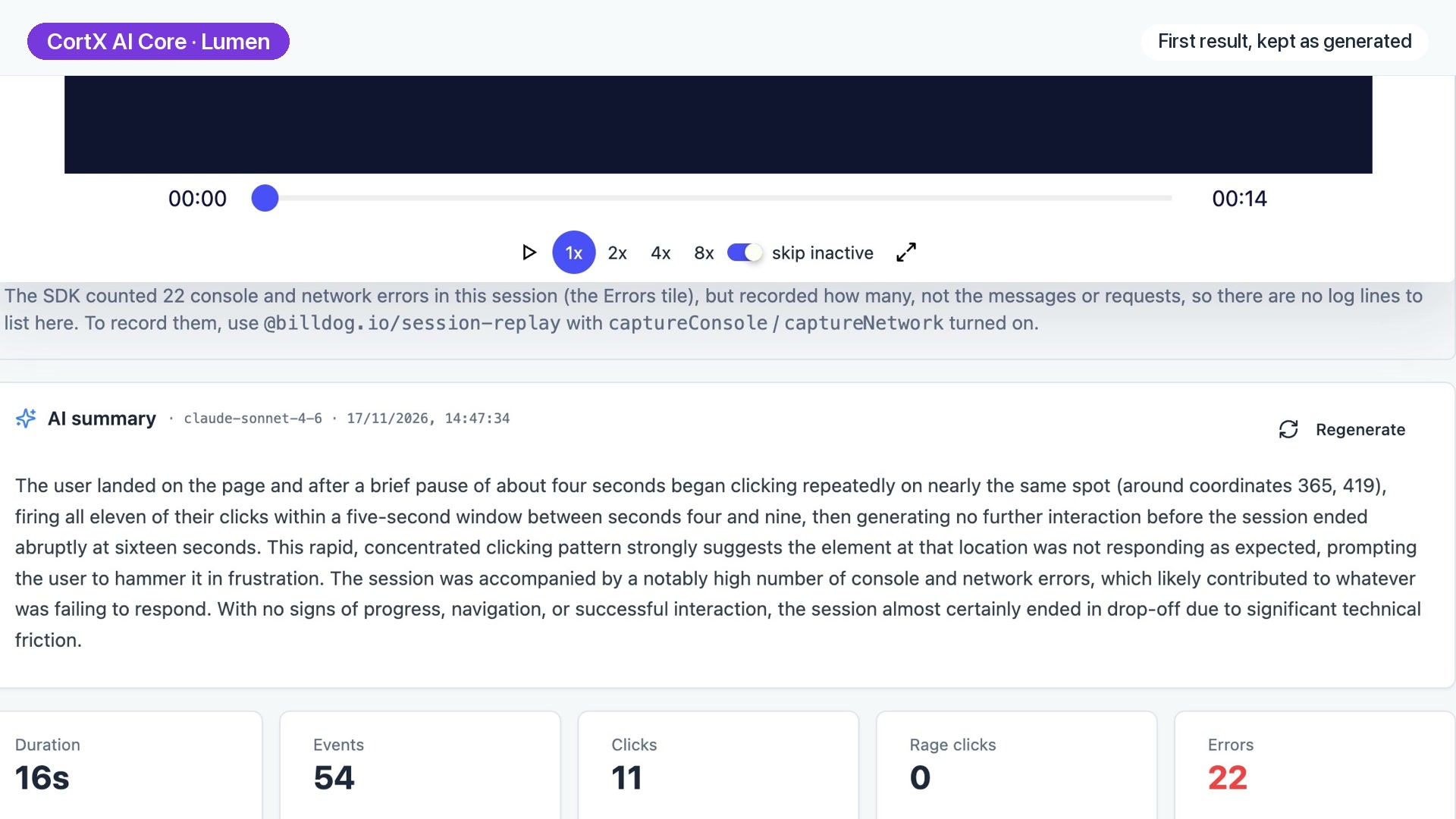
Watch one session. Or read the summary.
BillDog’s AI replay summary, tested on one scripted session: which counts match the recording, where it infers, what it reads, and why it needs CortX AI Core.
Paywalls
Where did everyone who didn’t buy go?
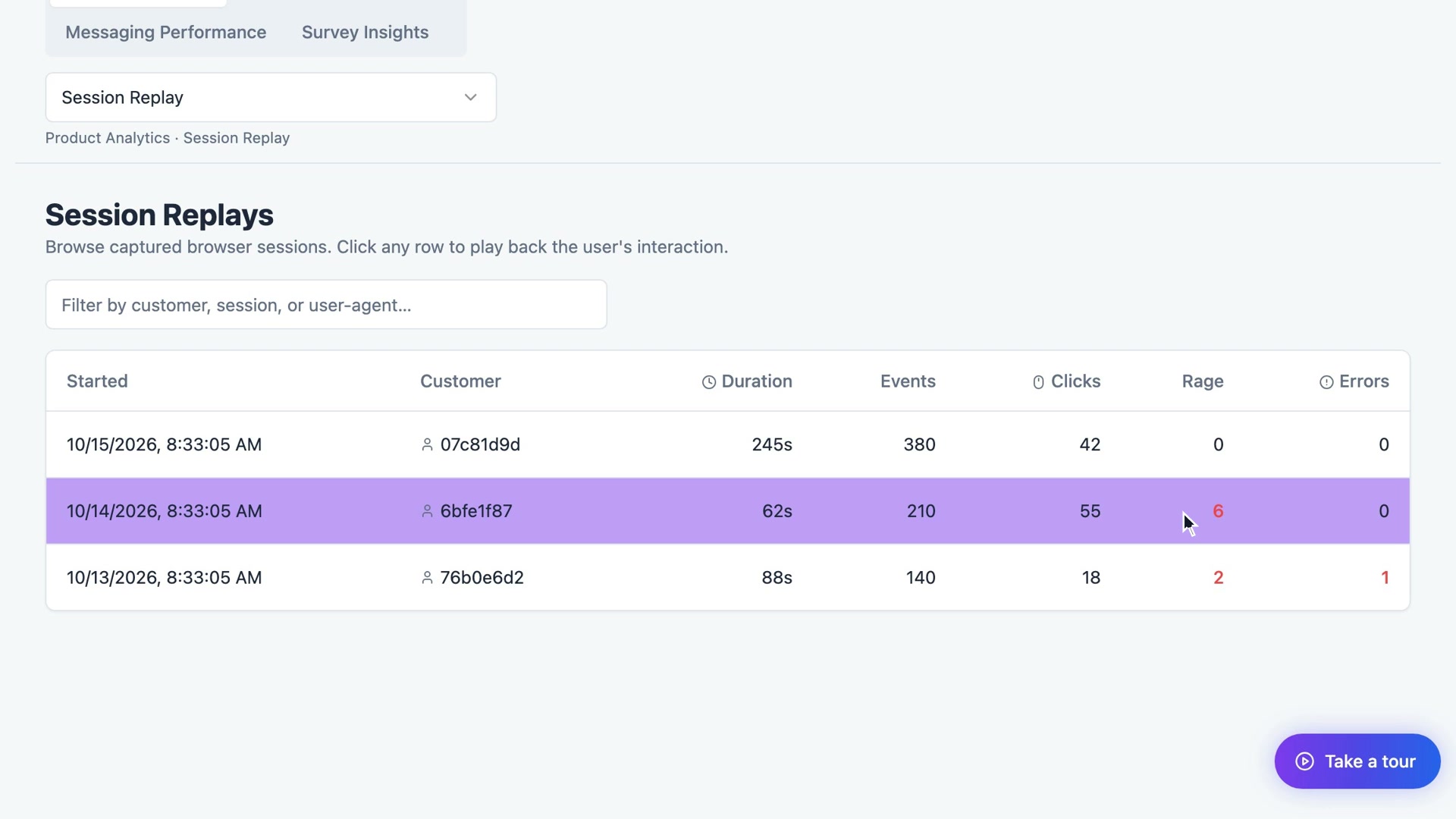
A conversion rate counts; it cannot tell you whether people balked at the price or never reached it. From the rate, to the paywall’s own analytics, to session replay: three sessions side by side, then one played back — 55 clicks in a minute on a button that never answers.
Data export
Your data back on a schedule: CortX AI data export
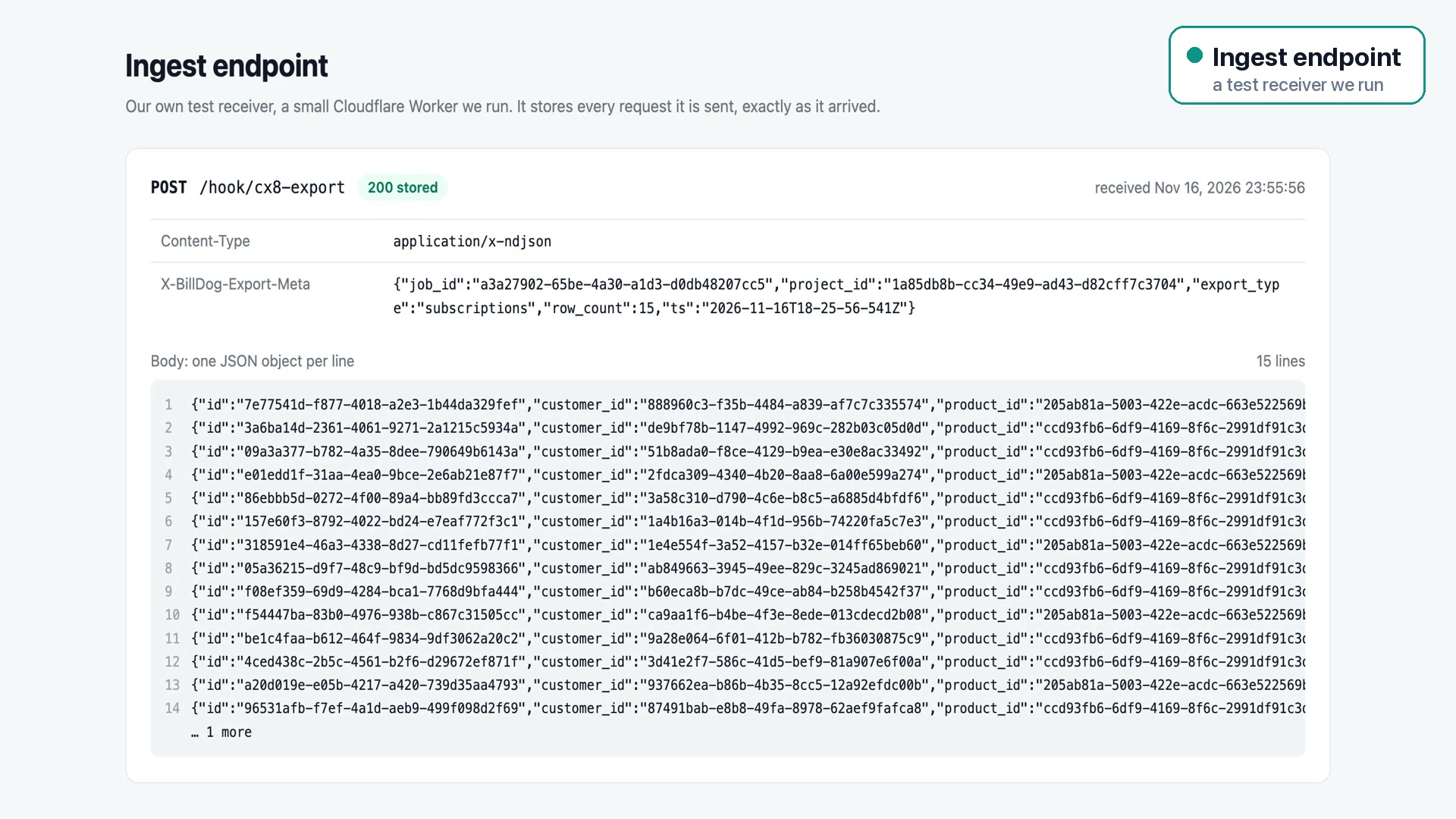
Schedule a CortX AI Core export of subscriptions to one of seven destinations. No backfill: the first run sends the last 24 hours, later runs only changes.
Analytics API & MCP
An MCP key for your editor: create, query, revoke
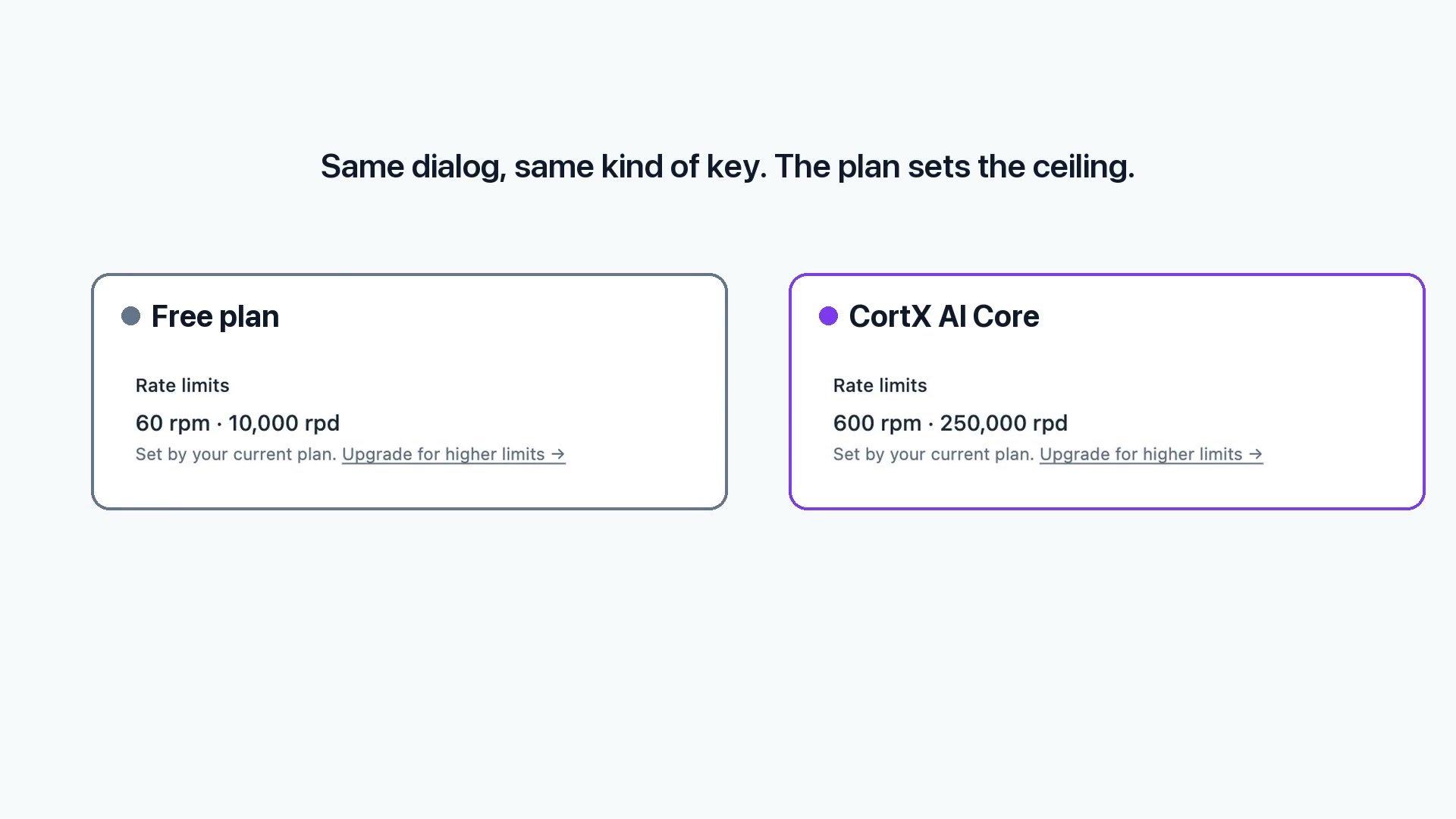
A read-only BillDog MCP key lets an AI assistant in your editor query subscription data, within a per-project budget: 60 a minute on free, 600 on CortX AI Core.
Integrate & test
Install an SDK on iOS, Android, React Native, Flutter or the web, call the REST API, receive webhooks, and test renewals before you ship.
iOS
iOS, from install to paywall
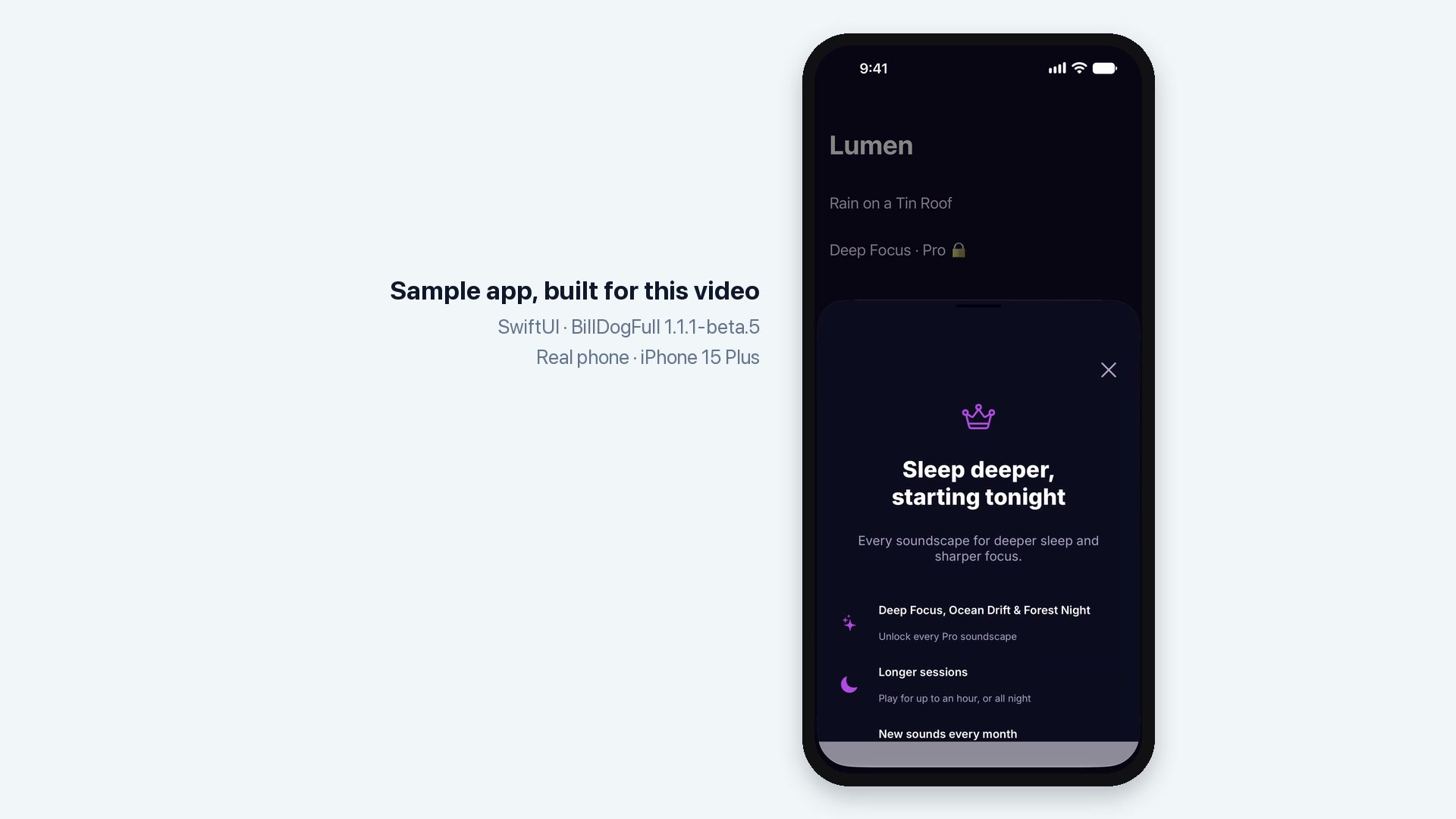
BillDog’s iOS SDK 1.1.1-beta.5 in a SwiftUI app on a real iPhone: add the package, configure at startup, show a paywall, then edit its headline with no rebuild.
Android
Android, from install to paywall
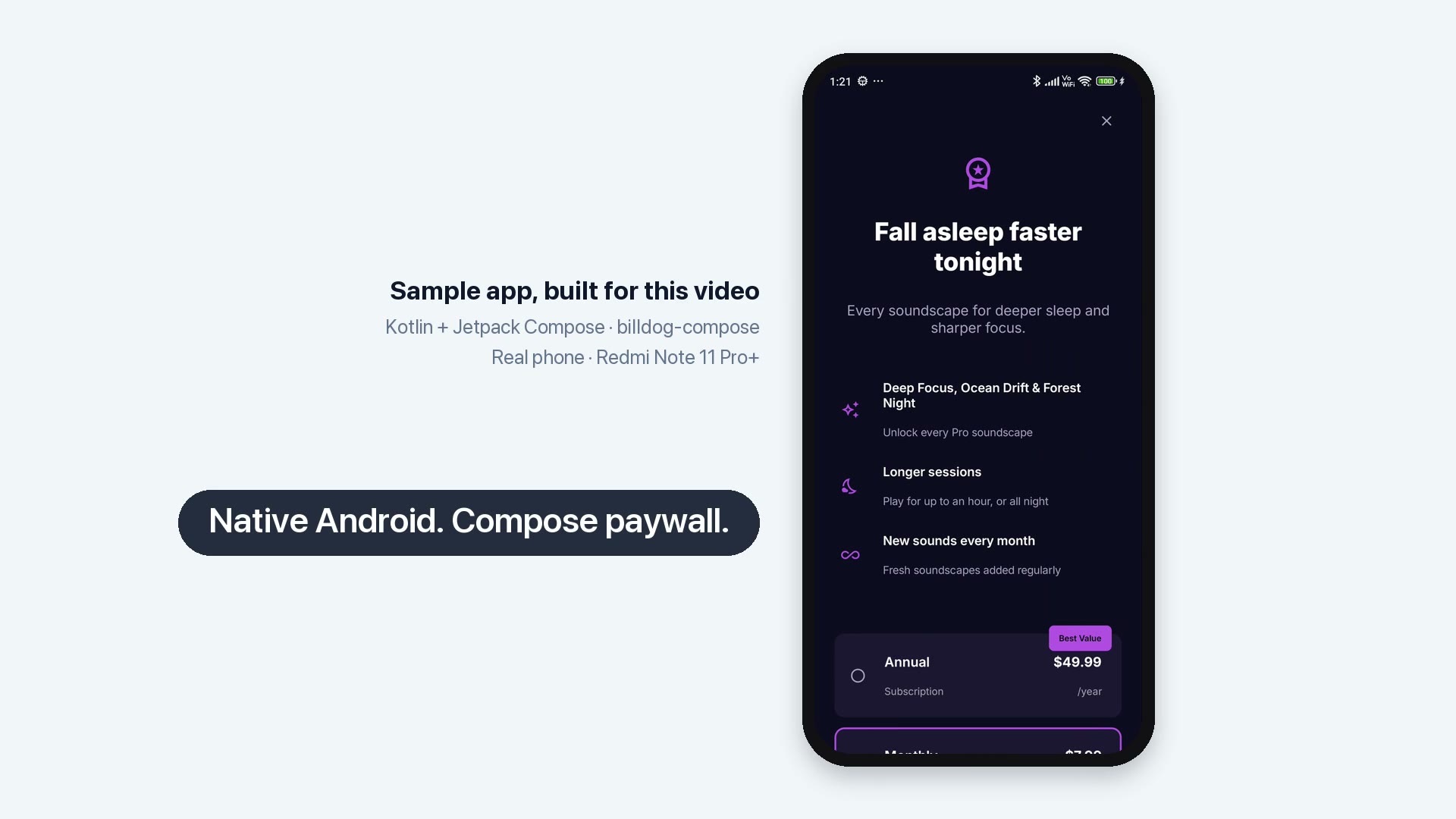
BillDog’s Android SDK 1.1.1-beta.5 from Maven Central, in a Compose app: add two Gradle lines, configure in onCreate, edit the manifest, and show a paywall.
React Native
React Native, from install to paywall
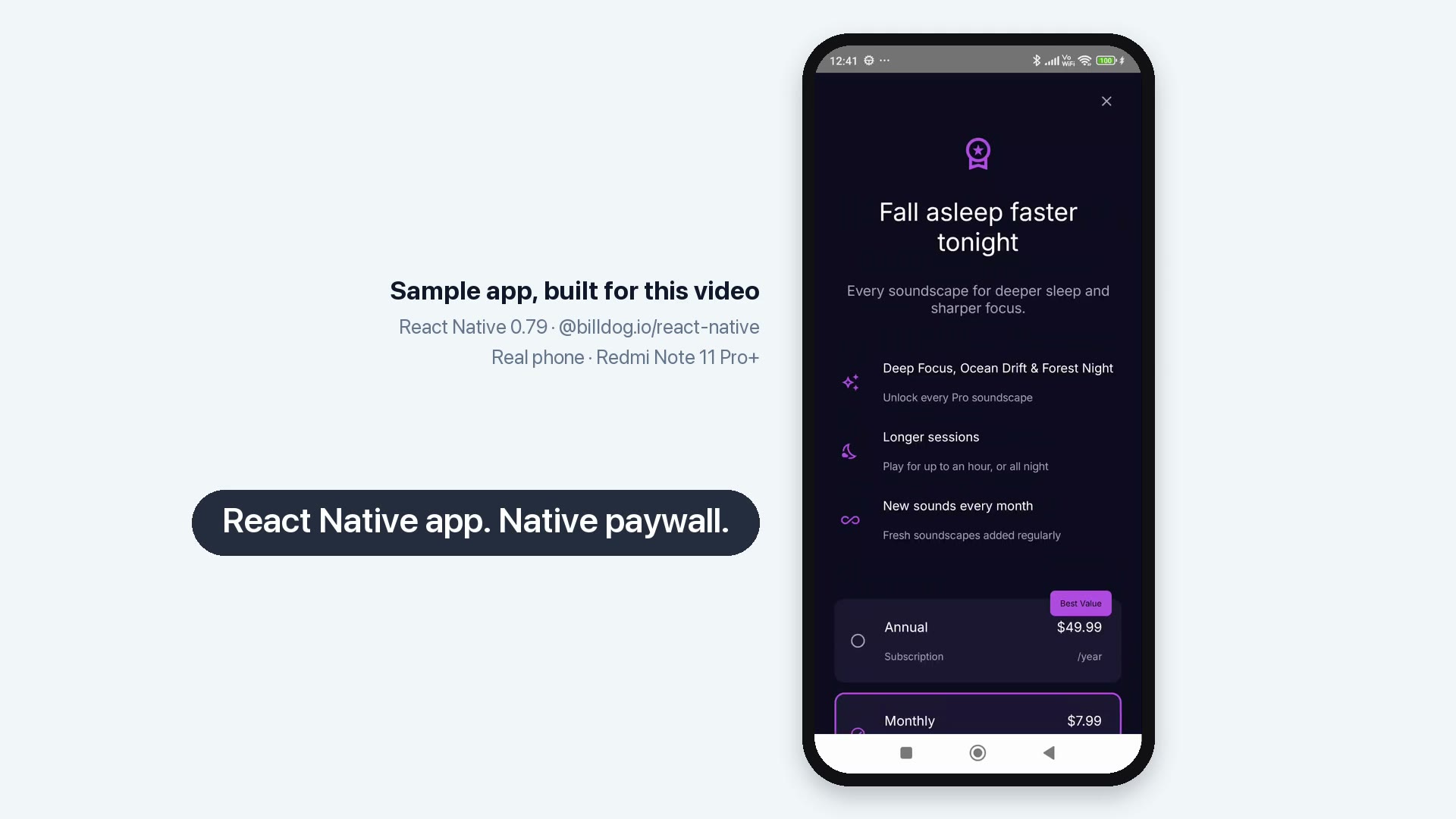
BillDog’s React Native SDK 1.1.1-beta.5 on an Android phone: add the four native peers, configure it at startup, then edit the paywall with no new build.
Flutter
Flutter, from install to paywall
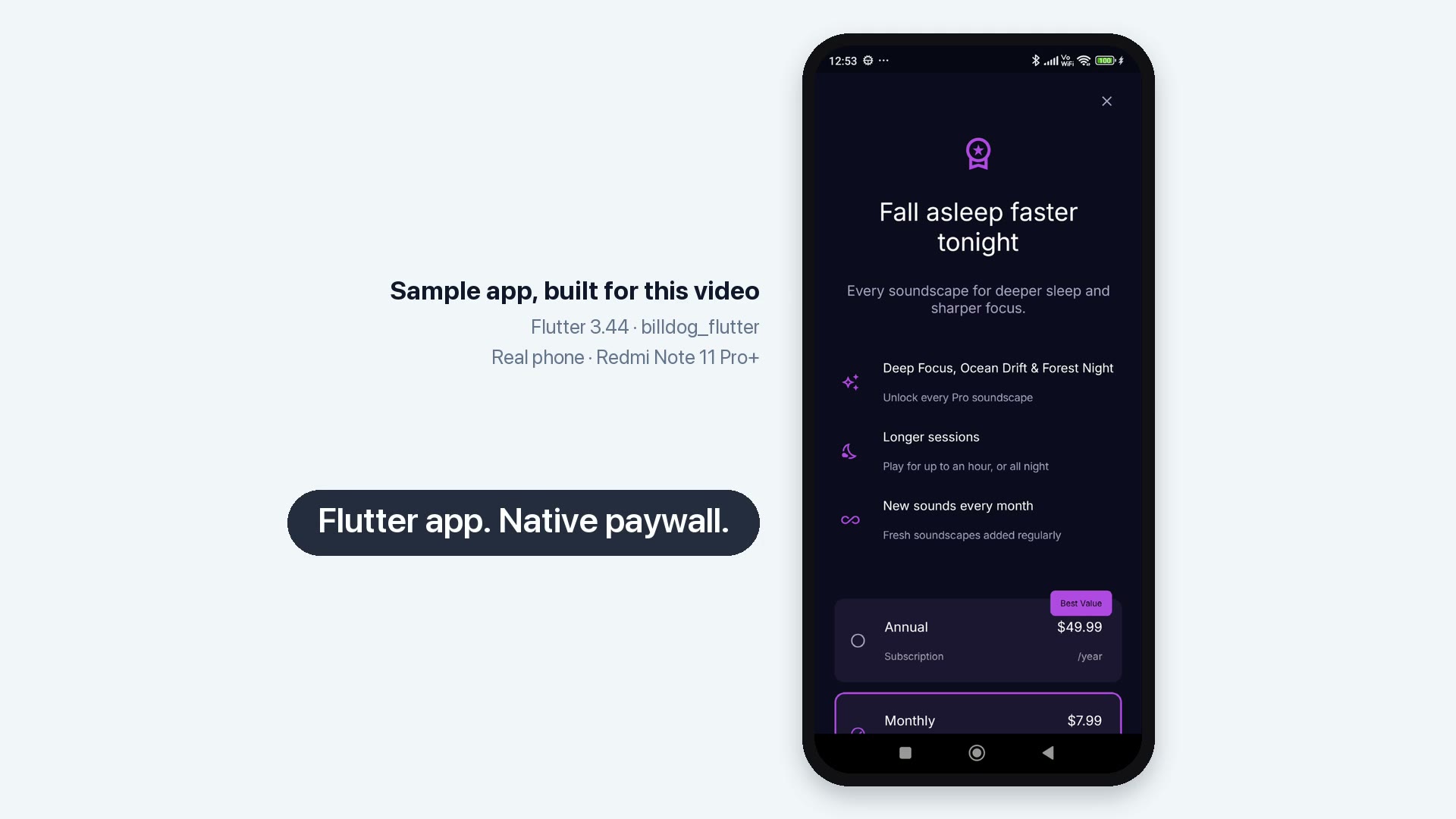
BillDog’s Flutter package 1.1.1-beta.5, filmed on Android: a thin layer over the native SDKs, a paywall that they draw, and sign-in in the same package.
Web
The web SDK: a placement’s paywall on your site
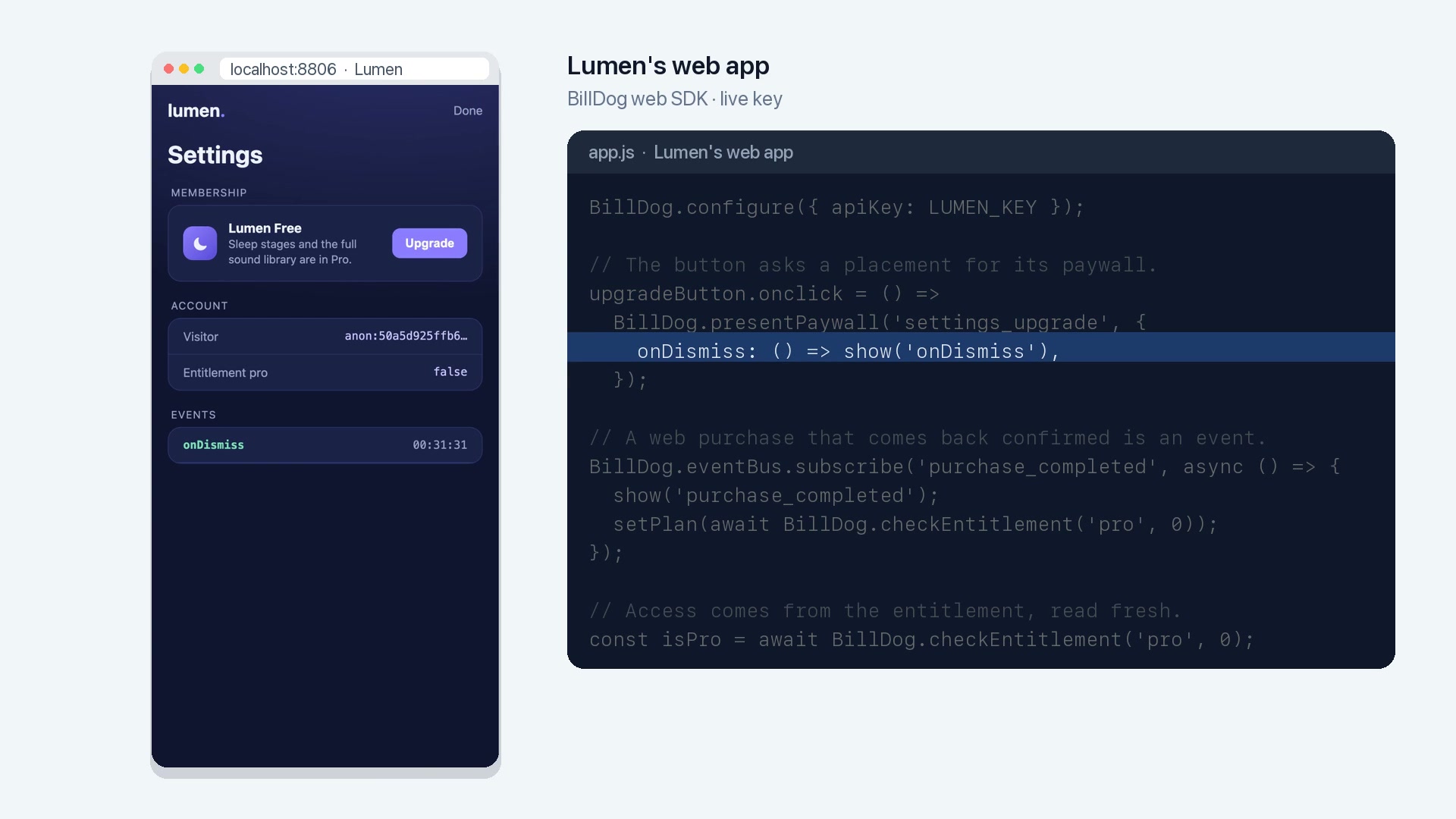
For web developers: @billdog.io/web draws a placement’s published paywall in a React 18+ page. You install it, configure it, and call presentPaywall.
REST API
The REST API
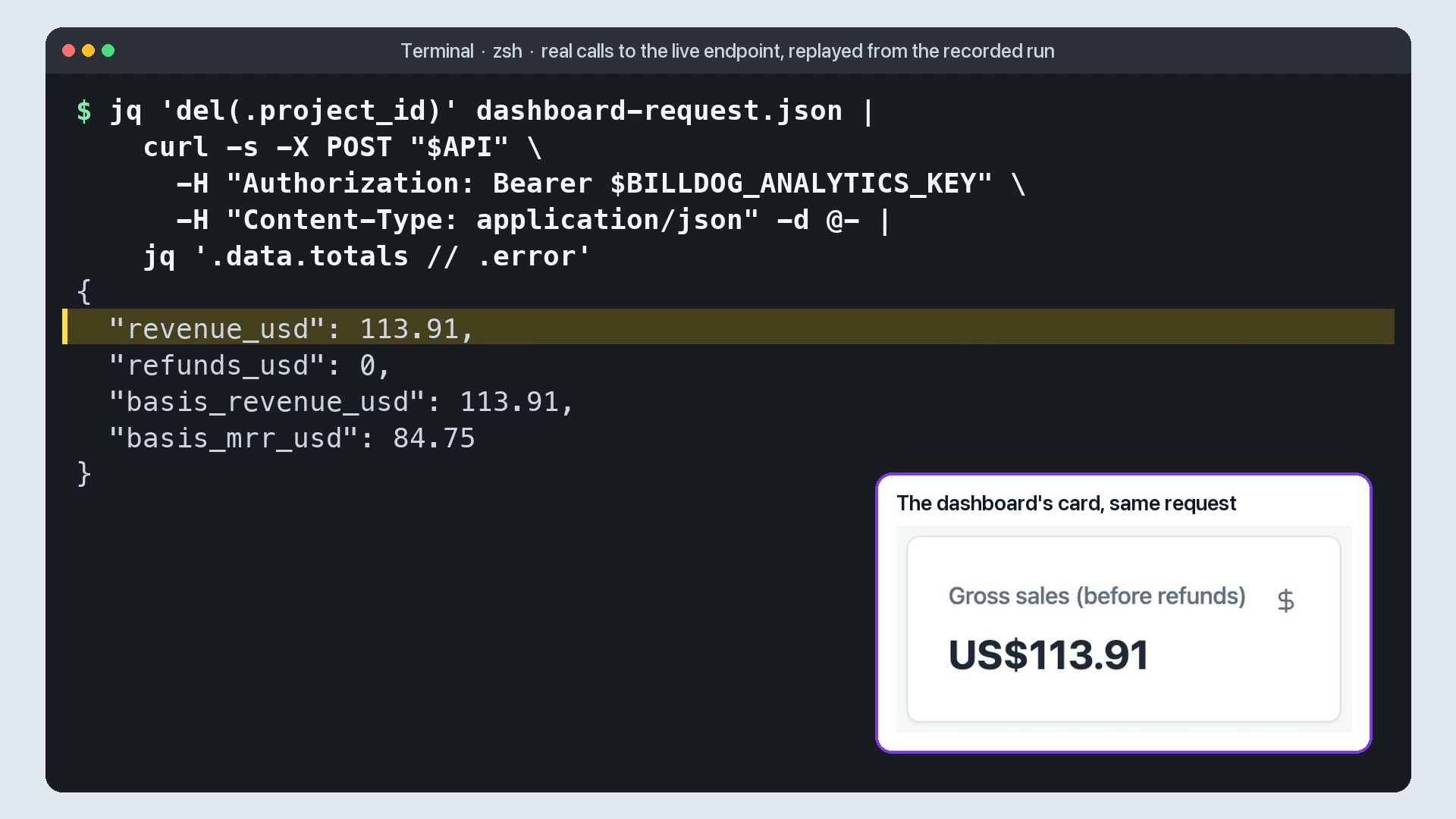
Create a read-only key, then call the Analytics REST API from a terminal with the report request the dashboard sends, get the same total, and revoke the key.
Webhooks
Webhooks that survive a bad night
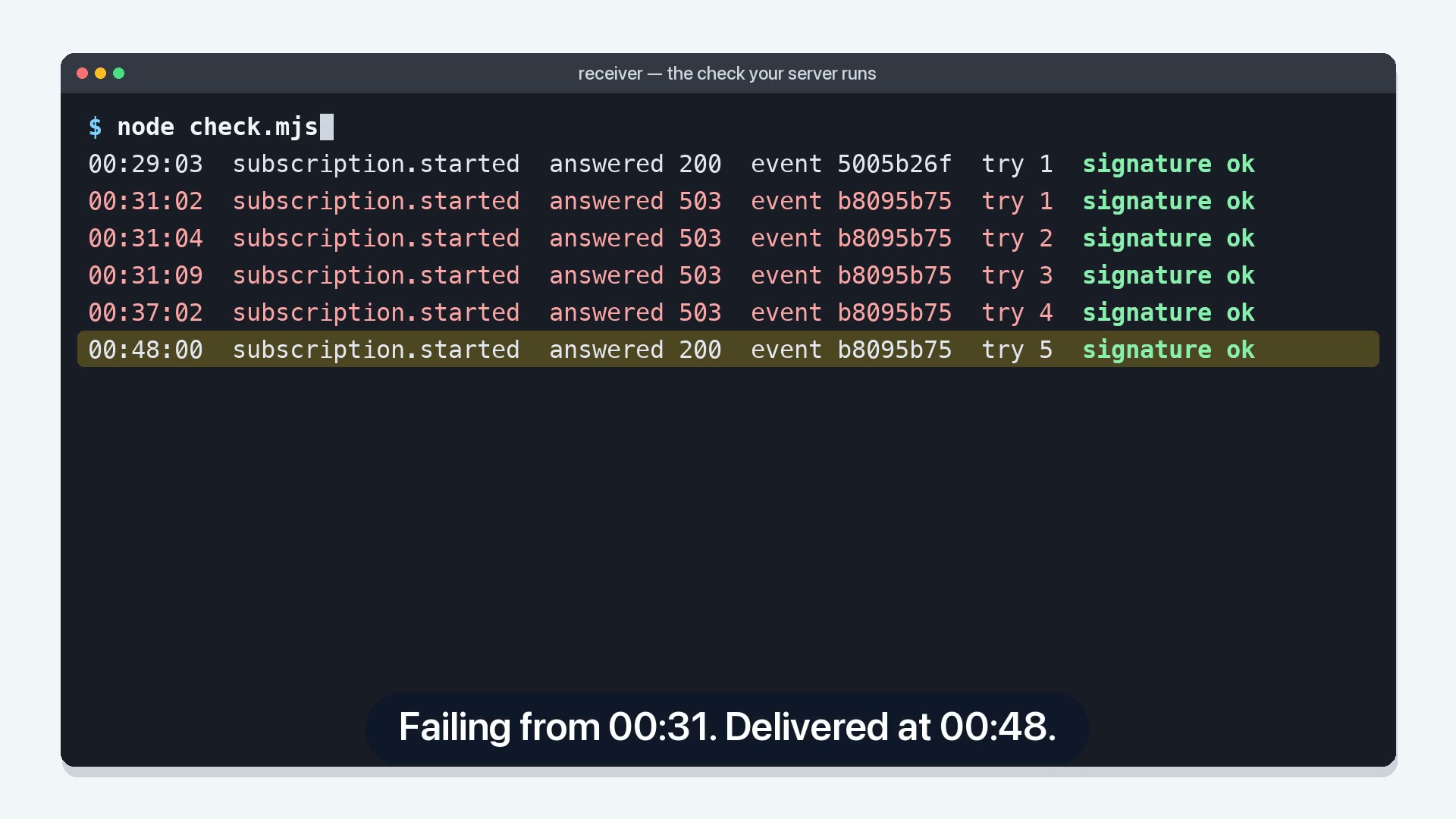
For receiver developers: BillDog webhooks sent to a path that always answers 503, with retries, late delivery, signature checks, event IDs and secret rotation.
Testing
Run a yearly renewal and a lapse in the Test Store
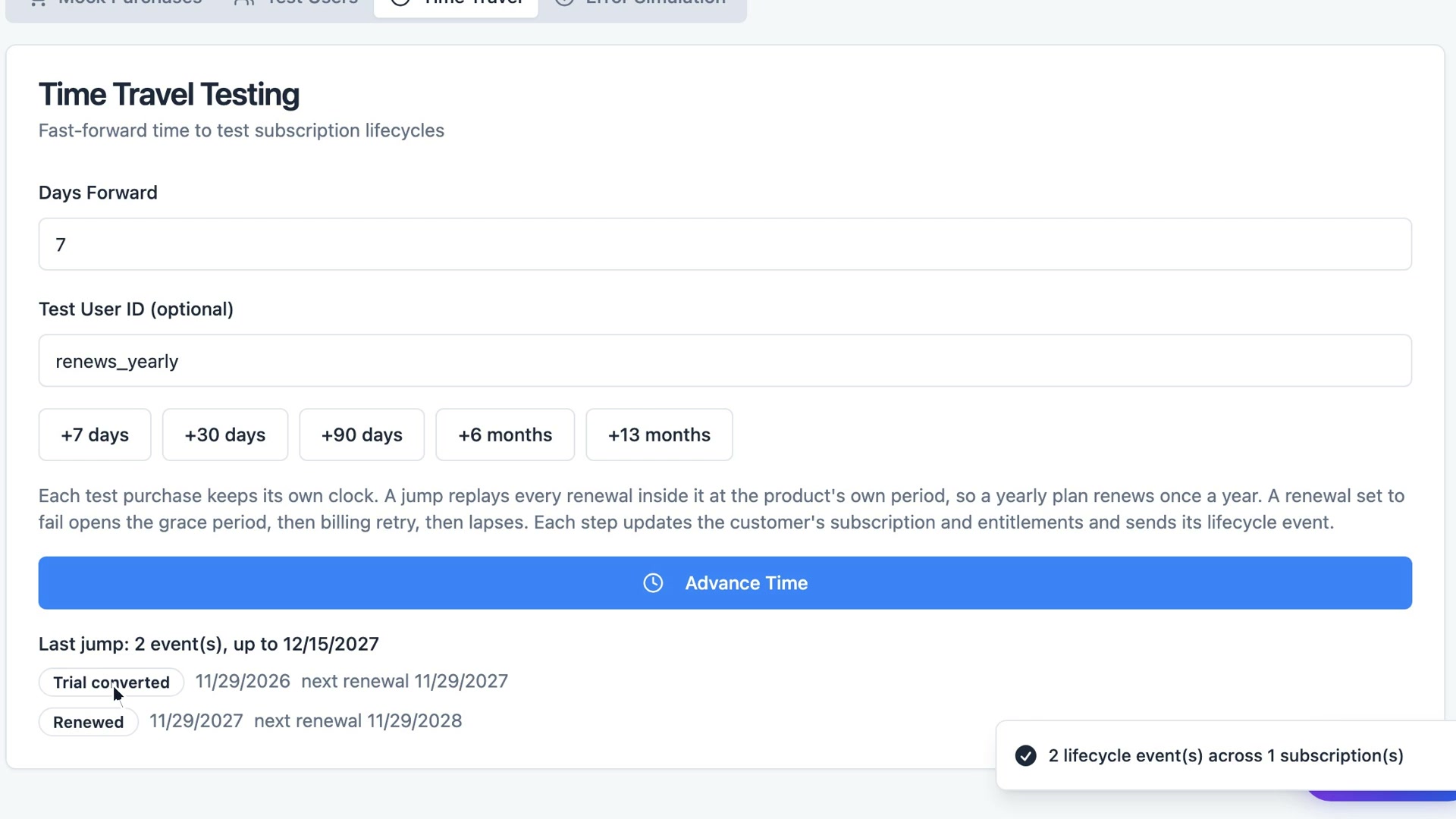
BillDog’s Test Store jumps a sandbox trial thirteen months to renew it, then runs a failed renewal to lapse. It checks your backend and webhooks, not your app.
Testing
Prove a BillDog web integration before you ship
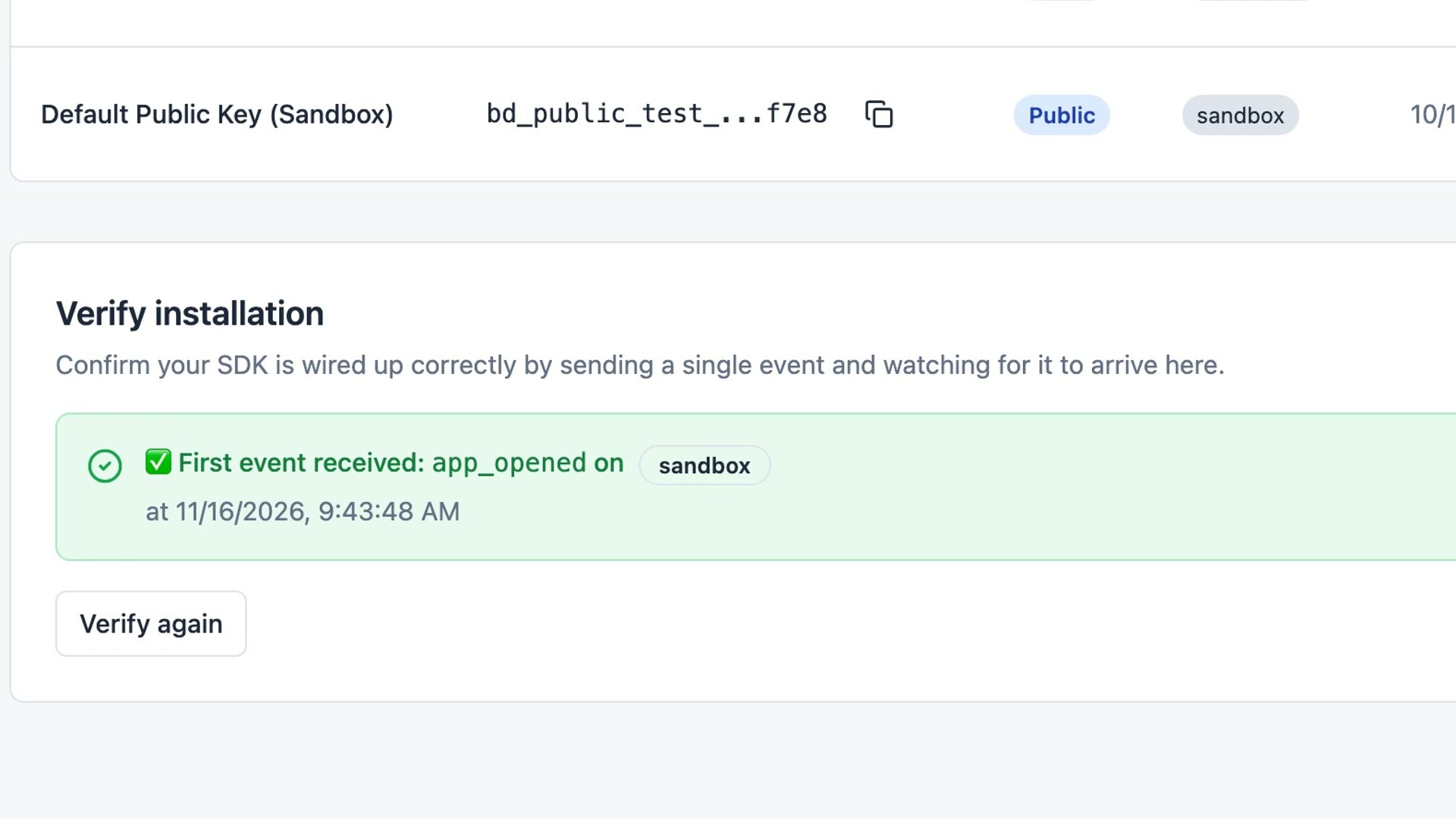
Prove a BillDog web integration on Lumen, our demo app: a sandbox event, a placement’s paywall and a Test Store purchase. Real store checkout isn’t tested.
Migrate to BillDog
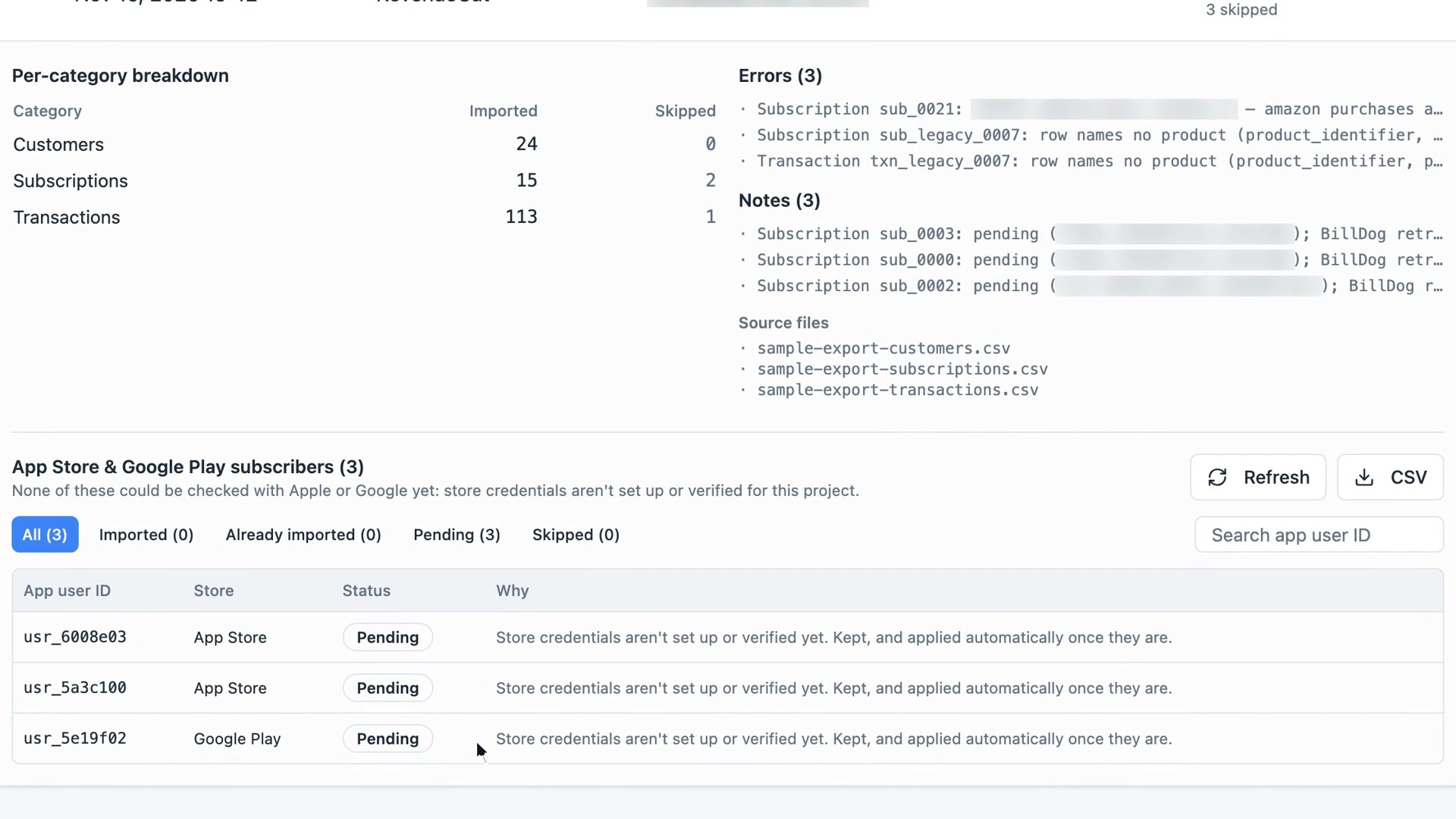
Bring existing subscribers across from another provider without losing one.
CortX AI plans
What the paid CortX AI plans add, shown against the free plan in the product itself.
Plans
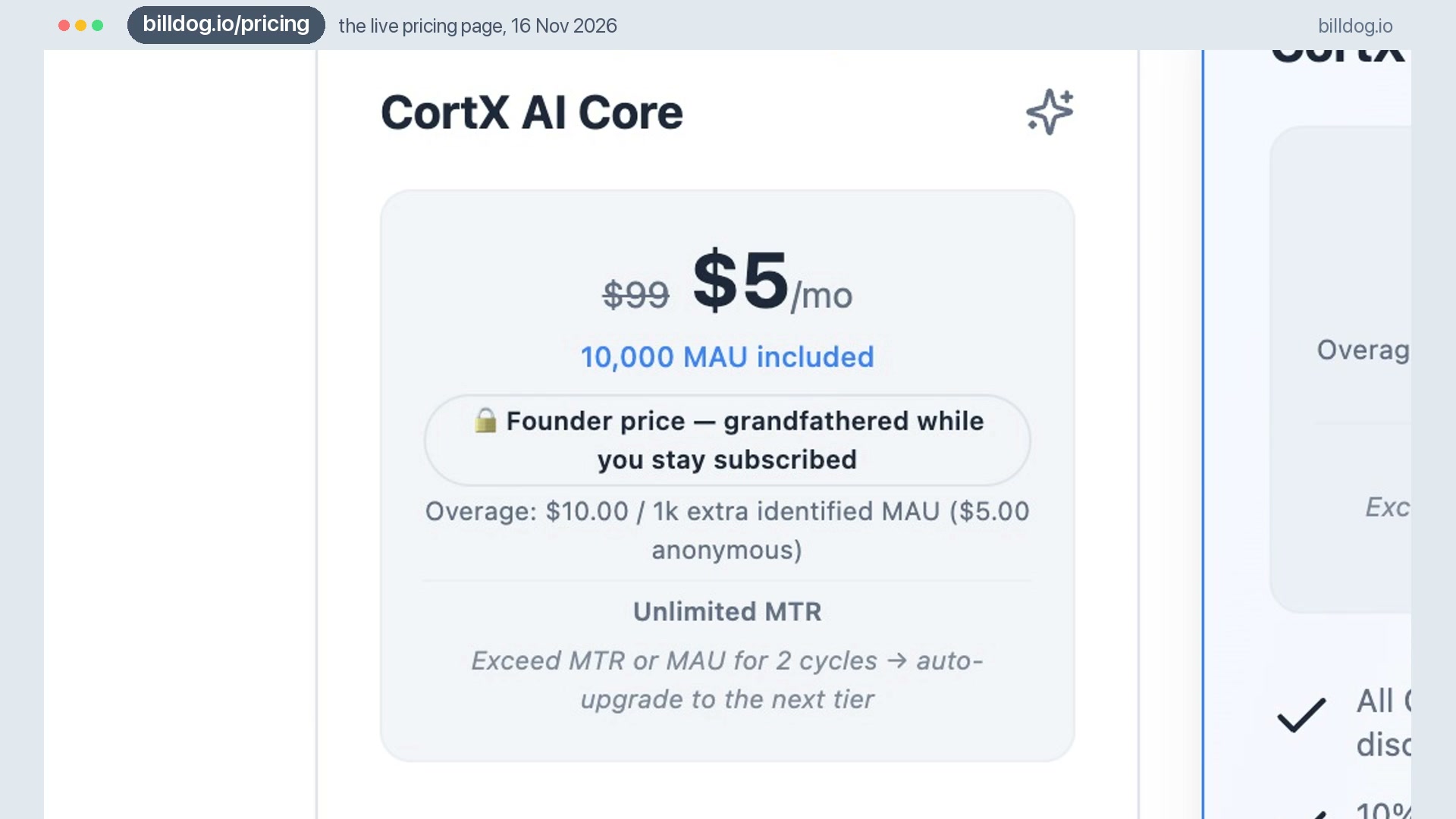
What $5 actually buys on CortX AI Core
As of Nov 2026, $5 a month buys CortX AI Core (founder price, list $99): the same product features as Pro and Max, with smaller limits such as 10,000 MAU.
Authentication
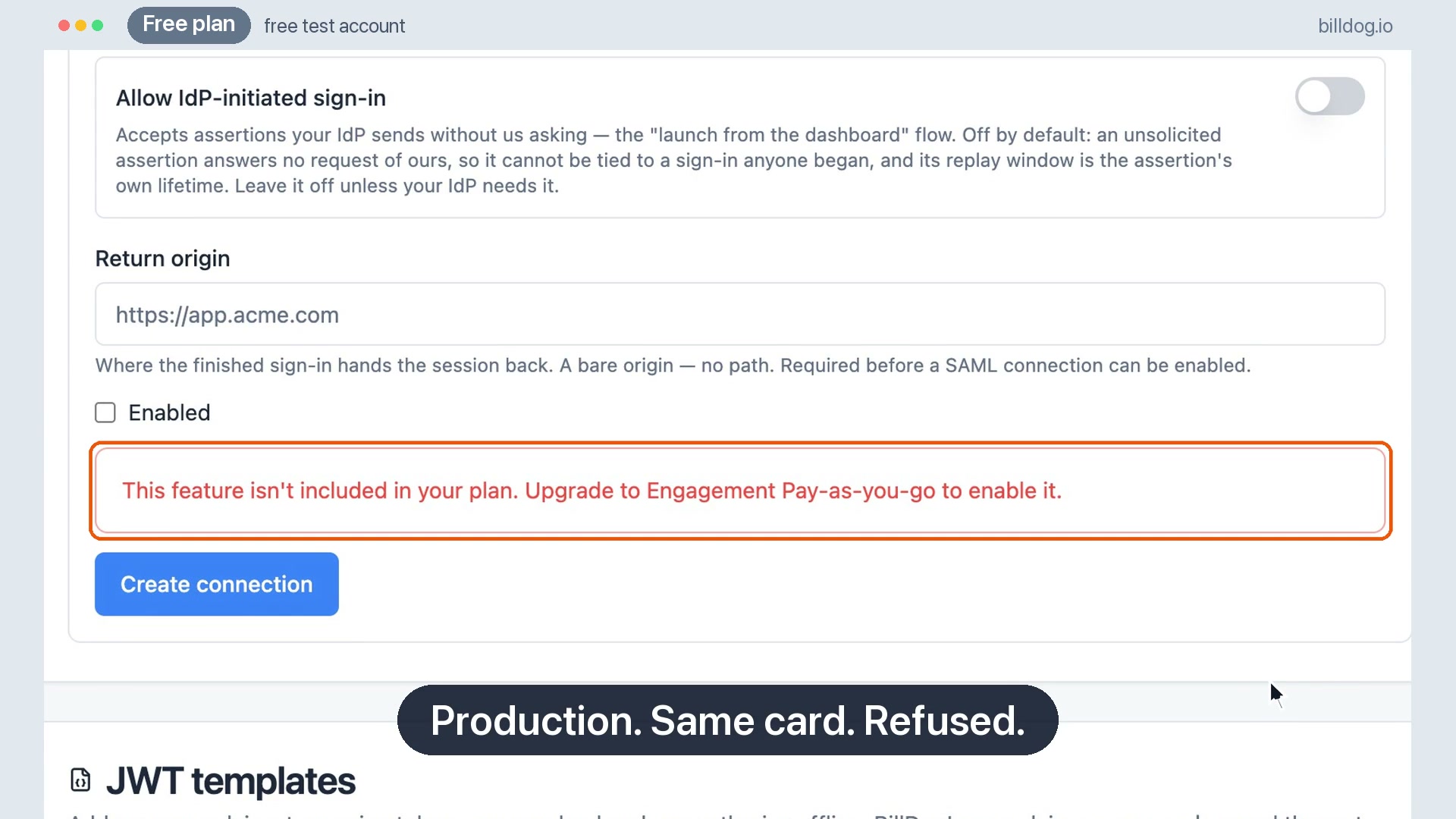
SSO, SCIM, and a plan gate kept out of sign-in
In BillDog auth, a free project sets up SSO and a SCIM (directory sync) token in sandbox; production refuses. Sign-in never calls the plan gate; it fails open.